To see a list of employees who had their profile changed that resulted in them becoming no longer eligible for plans they are currently enrolled in, while ineligible benefits have not yet been dropped, you may view the Ineligible Employees Enrolled in Benefits statistic:
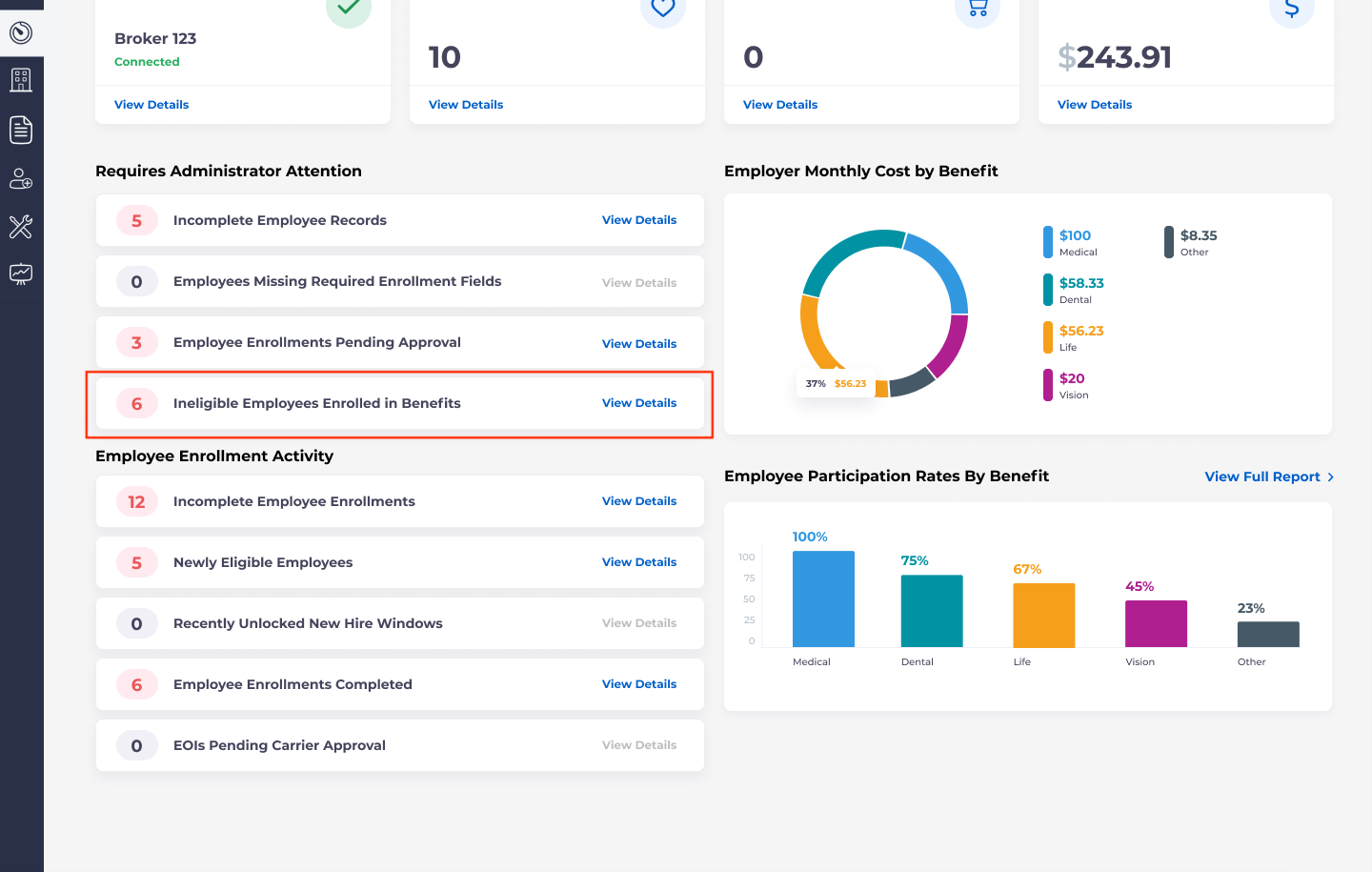 Employees can appear here as a result of manual changes where the updates have been skipped, import, and payroll changes.
By clicking on View Details, you will be brought to a new page, which will show all employees currently enrolled in benefits for which they are no longer eligible.
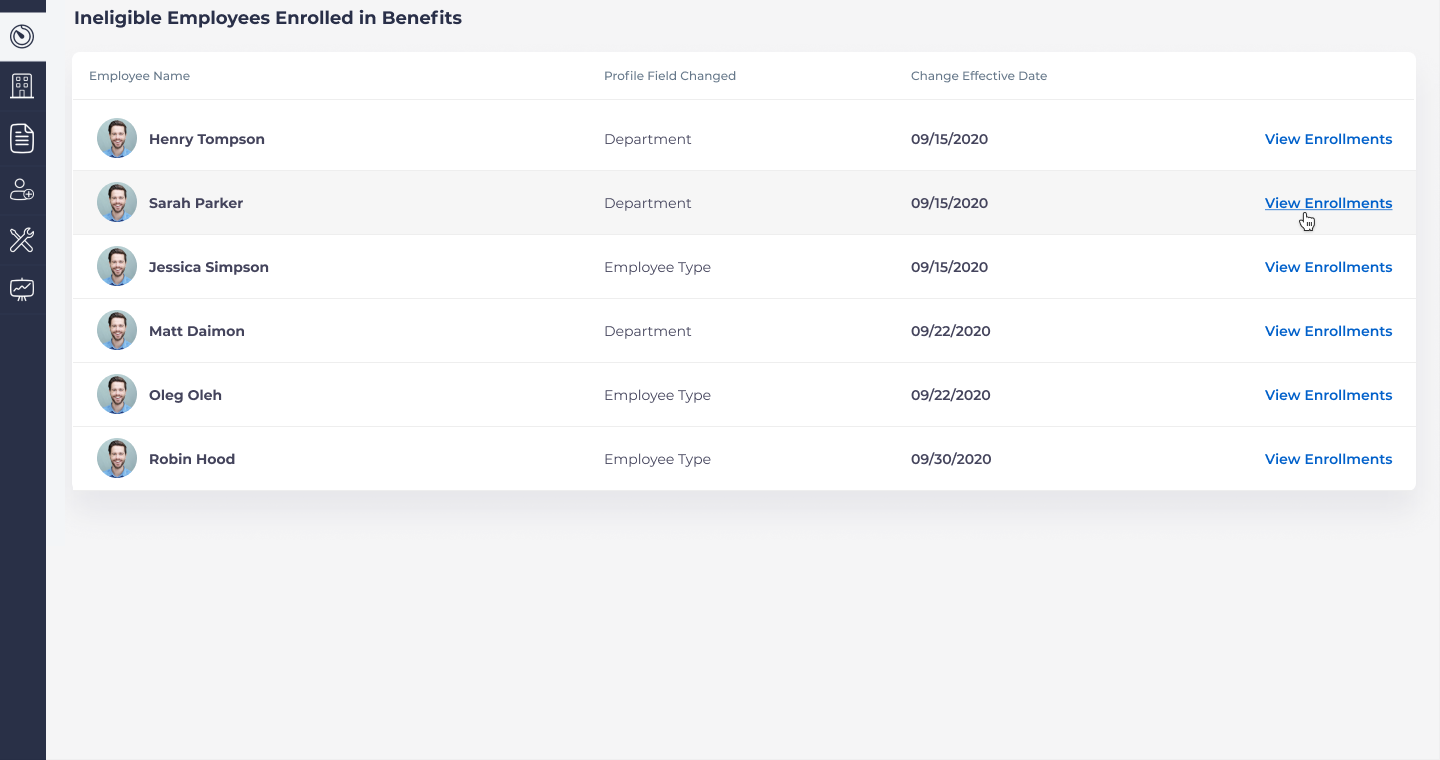
This page will display a column which displays which profile field changed for each employee, and another column which displays the date that the change was made. If you click “View Enrollments” this will take you to a separate page which will enable you to review and manage the employee’s eligible benefits:
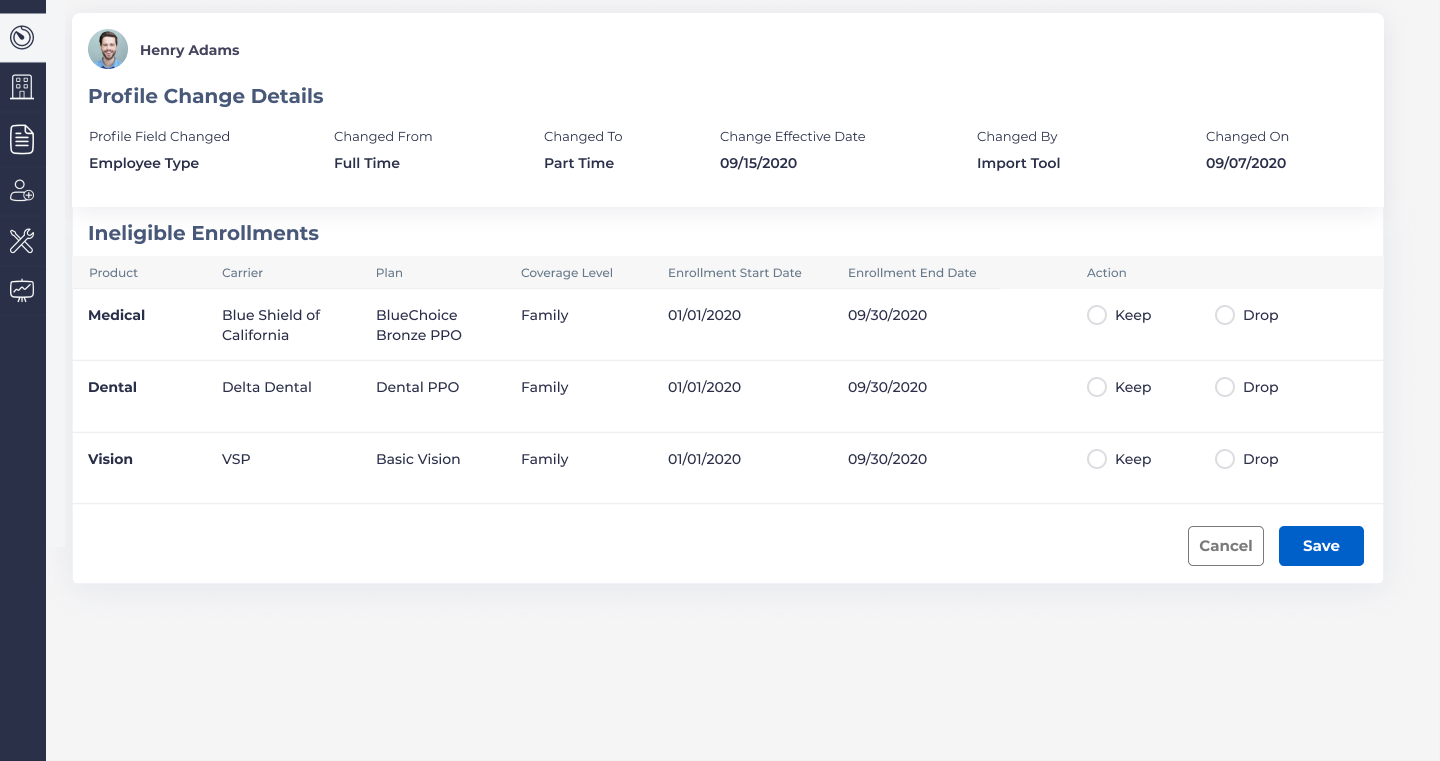
At the top of the page, you will see which field was changed, what it was changed from and what the new value is, and the change effective date. It will also show how it was changed (e.g., manually, import, etc.), and when it was changed.
On this page you may choose to keep or drop the existing plans which were affected.