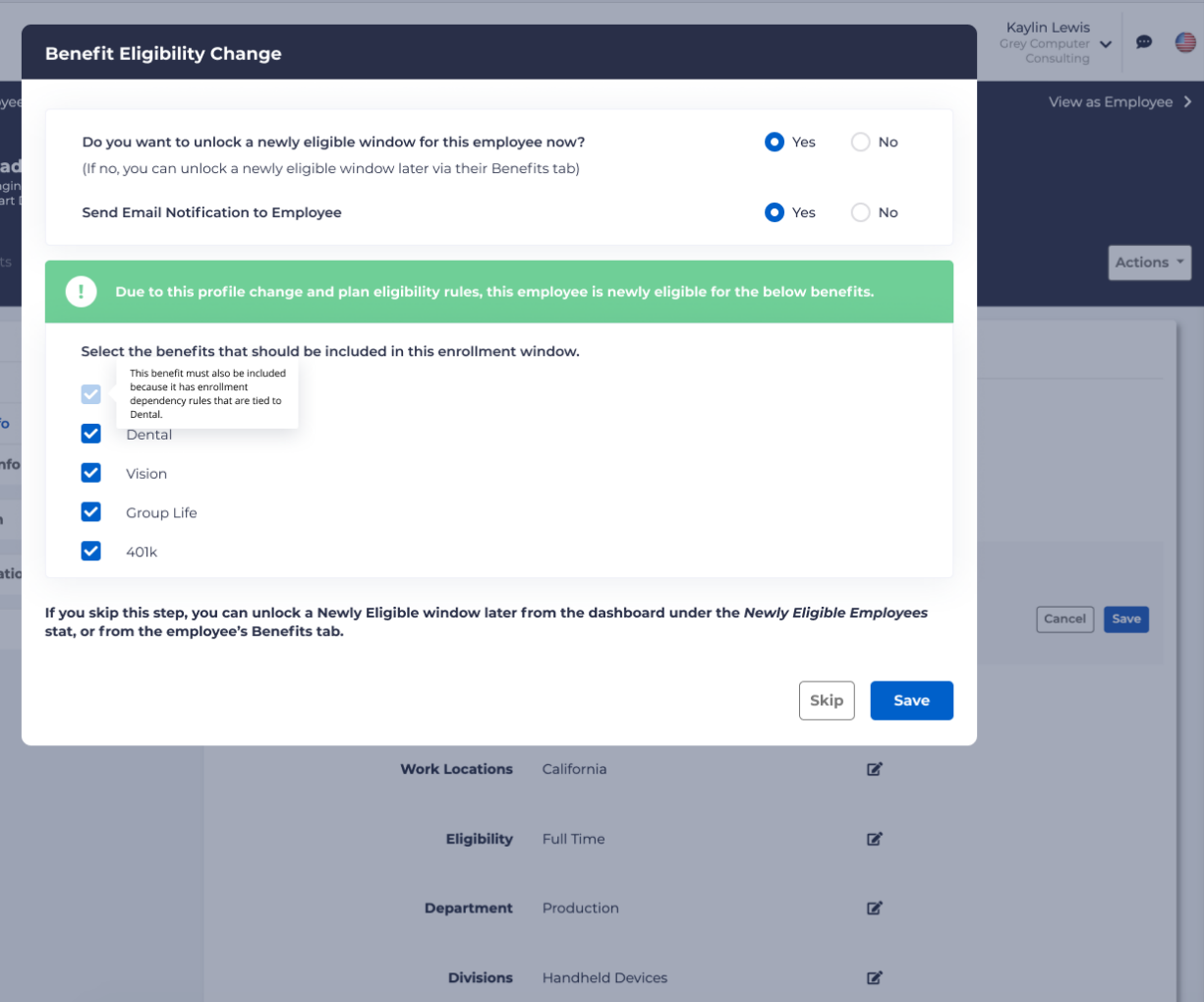
There may be many circumstances which may change when an employee becomes either no longer eligible or newly eligible for benefits.
Removing Eligibility
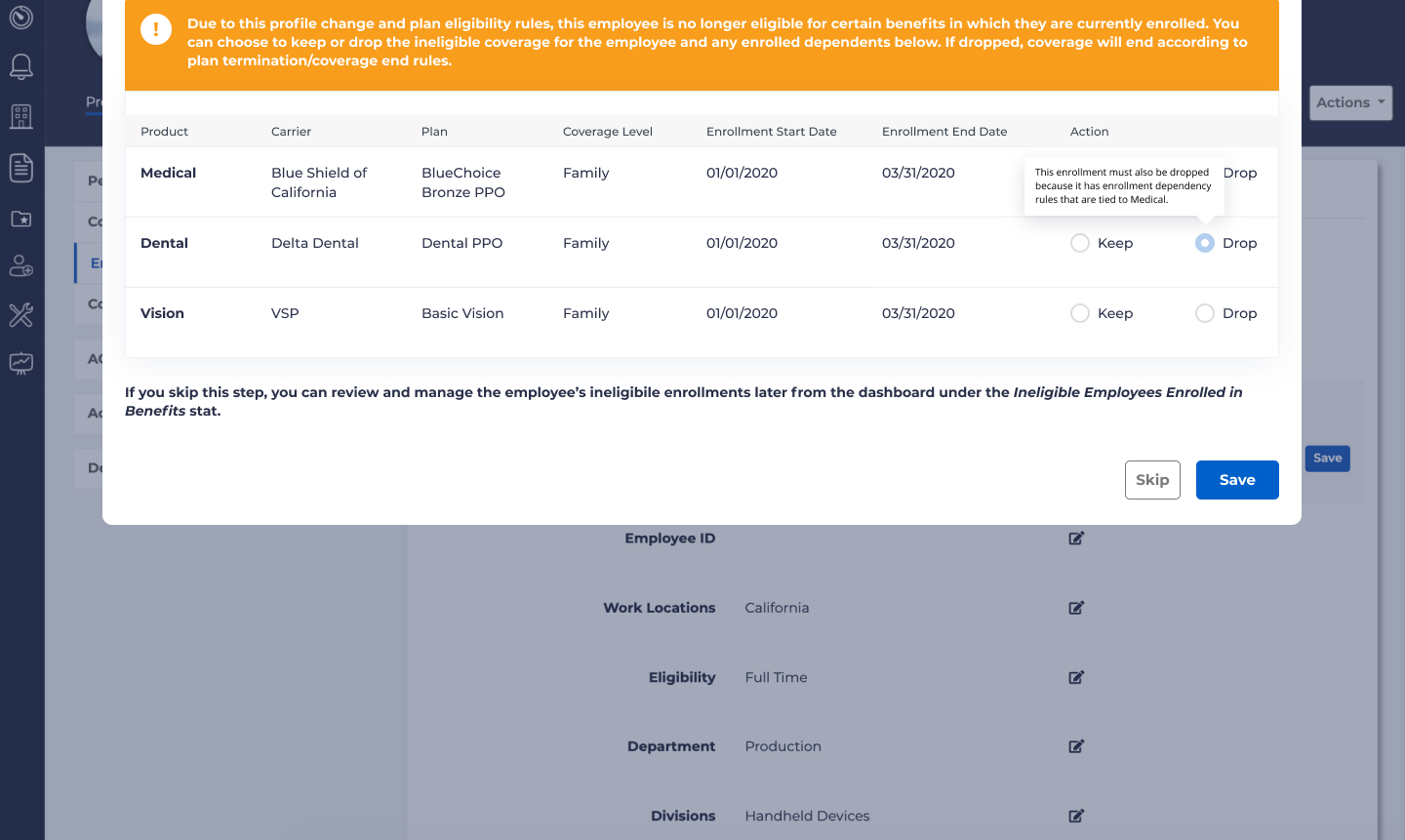
If an employee is enrolled in a contingent plan and a restricted plan, and the employee becomes ineligible for the contingent plan and admin chooses to “Drop” the employee’s enrollment in the contingent plan, the admin will be required to also drop the enrollment in the restricted plan. This should also apply to updates; changes in eligibility which affect contingent plans will allow and prompt updating of all contingent plans.
If you as an administrator choose to override the restrictions on the initial plan, the employee will be allowed to remain in any contingent plans, regardless of eligibility.
If “Drop” is selected for the contingent plan, the drop for the restricted plan will also be selected and locked. Hovering over the “Drop” option for the restricted plan will display help text explaining why:
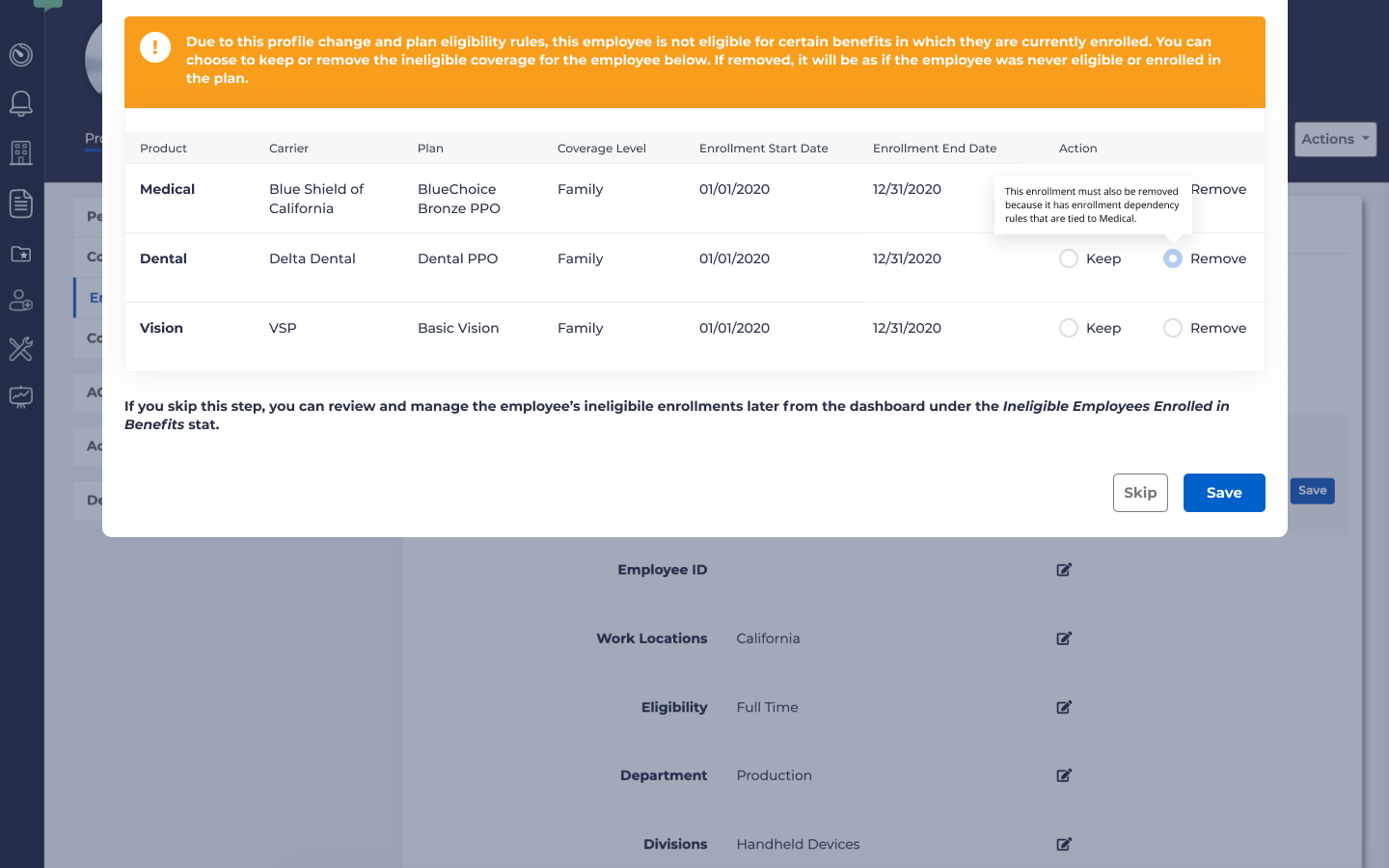
Similarly, if remove if selected for the contingent plan, the restricted plan will also be locked and removed:
Similar behavior will also occur for updates to restricted and contingent plans.
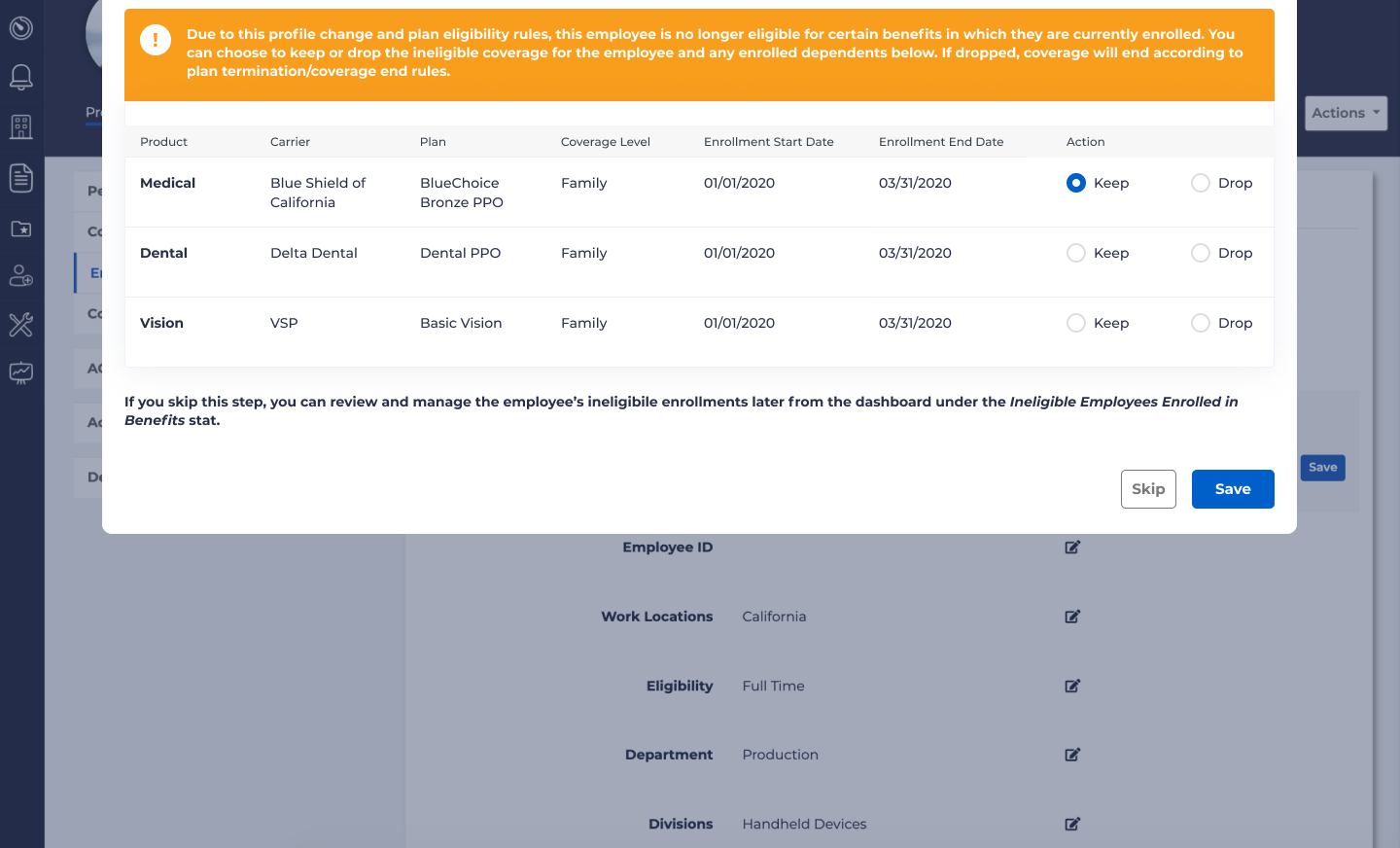
If you elect to keep the contingent plan, you may make whatever changes you deem necessary for the restricted plan:
Newly Eligible
If a plan has contingency rules and you select a product type that includes a restricted plan, then the checkbox for the contingent product type will be auto selected.