Occasionally you will wish to import large amounts of employee data into the system. To be able to do this, on the left menu you may go to Tools – Imports.

Here you may import three different types of files.
- New Employee Census
- New Employee and Dependent Census
- Employee Profile Updates*
*IMPORTANT: Changes to employee information, such as eligibility dates or effective dates may result in a change to their enrollment eligibility.
All three files work the same way and will automatically update records for their respective areas.
To import a file, click on Upload for the respective file type, and it will bring you to a screen which enables you to download a template.
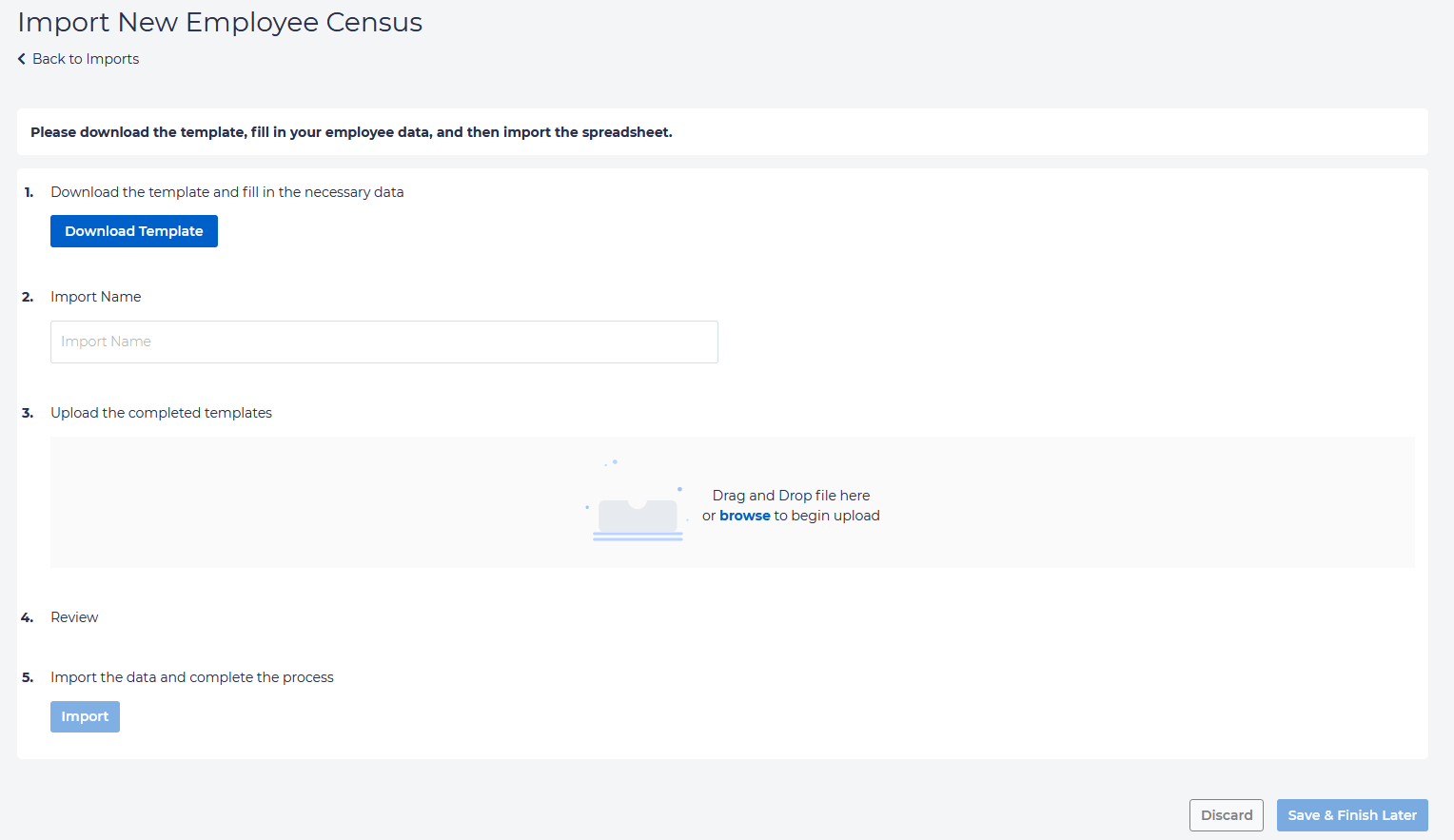
This will be an xlsx file. Fill in data for all fields you know. For each type of import, some fields are required; these are marked in blue.
Save the file. Now, enter the file name, and either drag the file to the screen or browse your computer for the file.
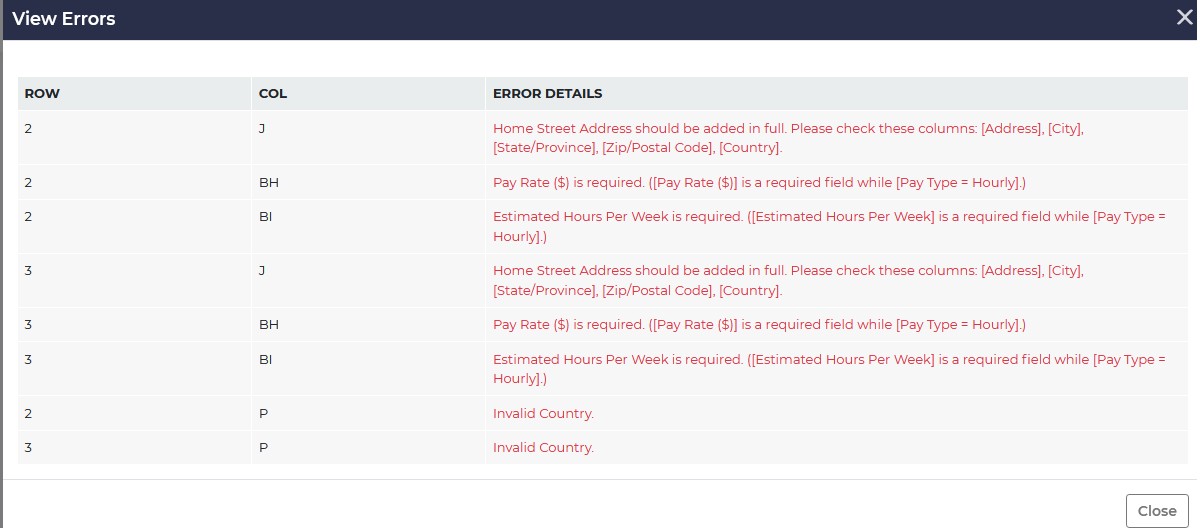
The application will automatically check your file for any errors.

Fix any errors that appear under Review. To identify these, click View on the right.
If everything is successful, you will get a message which states “Validation Finished. No Errors or Warnings.”

Click on Import to finish uploading the file. You may verify this information is correct by going to the Employee record.