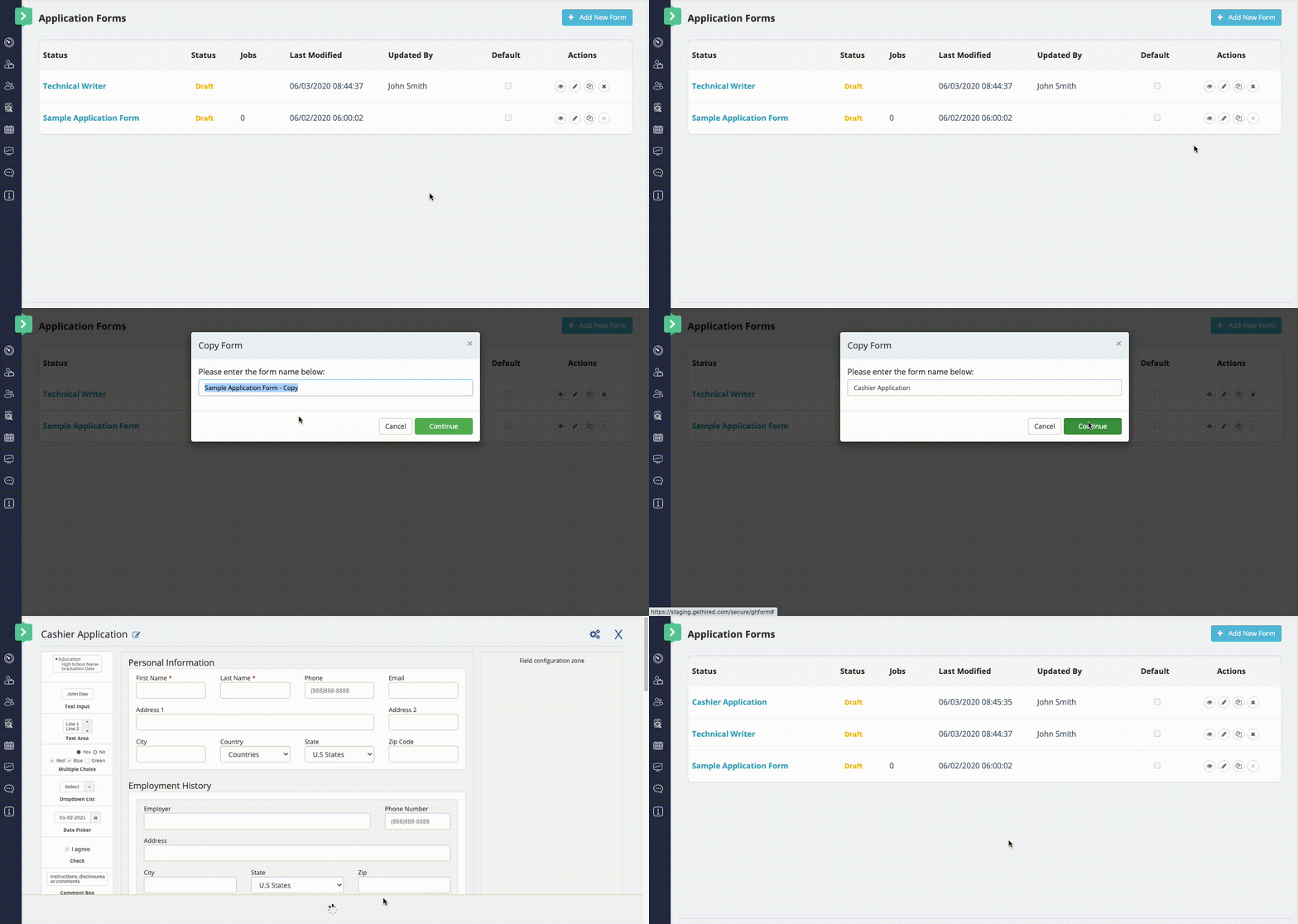
To copy an existing Job Application Form into a new one:
- Click the Hiring menu at the top of the page.
- From the left navigation panel, click Administration > Application Forms.
- From the same row as the Job Application Form to copy, click the Copy icon
 .
. - Enter the name of the new Job Application Form.
- Click Continue.
For more details on completing the Job Application Form process, see Using the Job Application Form Builder.