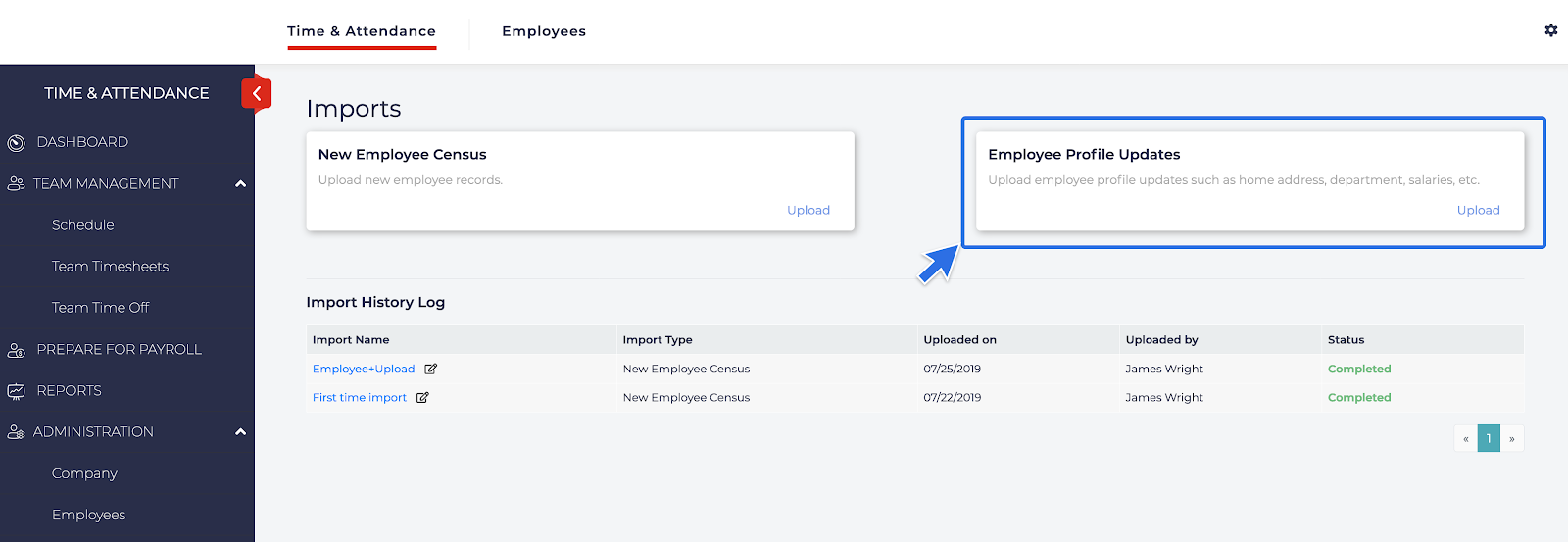
- From the Import section on the left hand menu, click on Upload under Employee Profile Updates.
- Select which fields you would like to update under Which Fields Do You Want to Bulk Update.
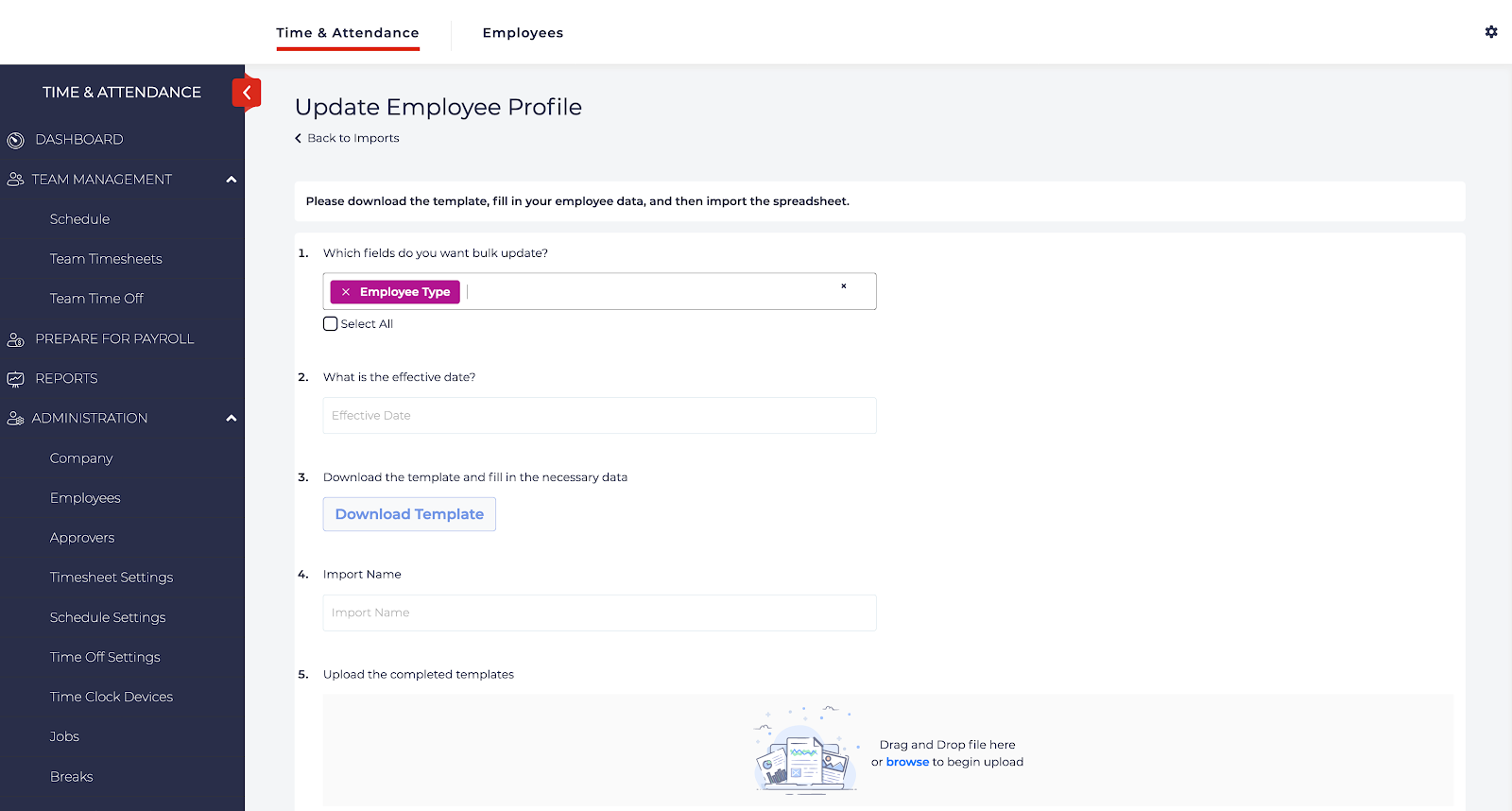
- Click Download Template and add the information that you would like to update for the employees into the spreadsheet. Make sure to save your spreadsheet.
- Enter a name for the import in the Import Name box.
- Click Browse under Upload the Completed Templates.
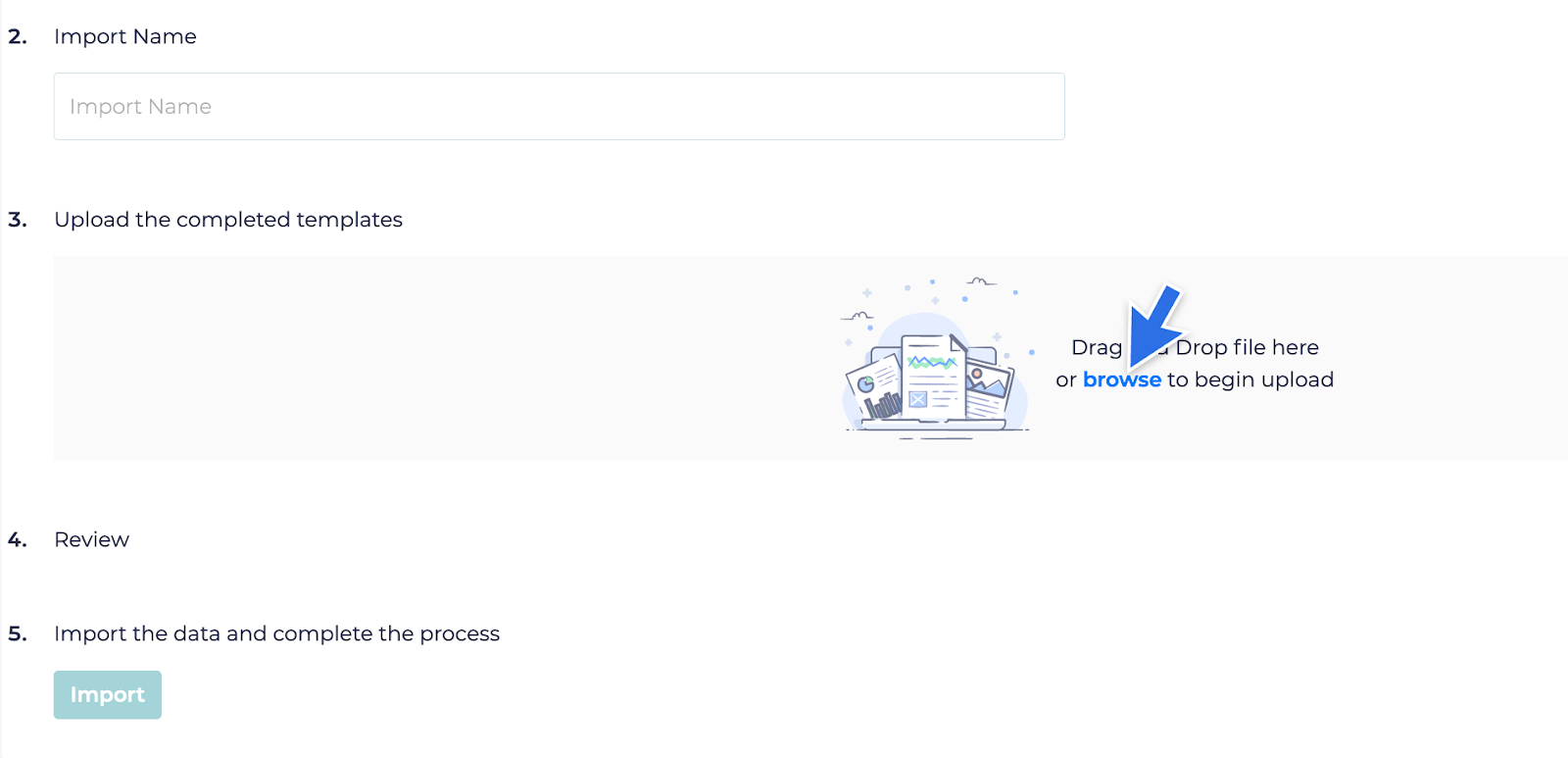
- The Review section will display any errors to be fixed. Fix the errors if necessary and re-upload the spreadsheet. If no errors display, click Import.
Not allowed
How to Import Employee Updates
Not Allowed