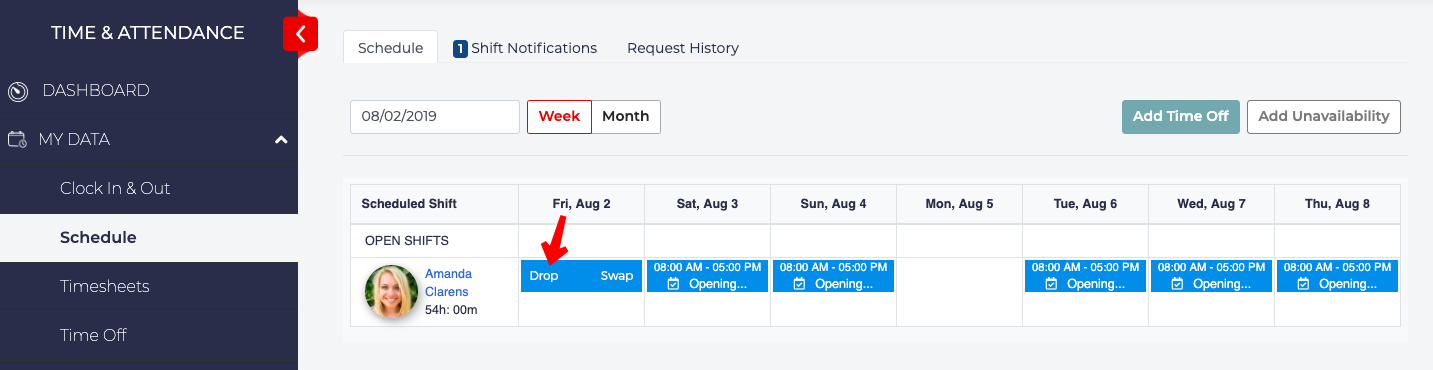
- To drop a shift, hover over the schedule block that you want to drop. Wait for the schedule details to be replaced with the words Drop and Swap.
- Click Drop.
- A Drop Assigned Shift window will pop up.
- Choose from the list of employees to take the shift you are dropping. You can choose more than one employee.
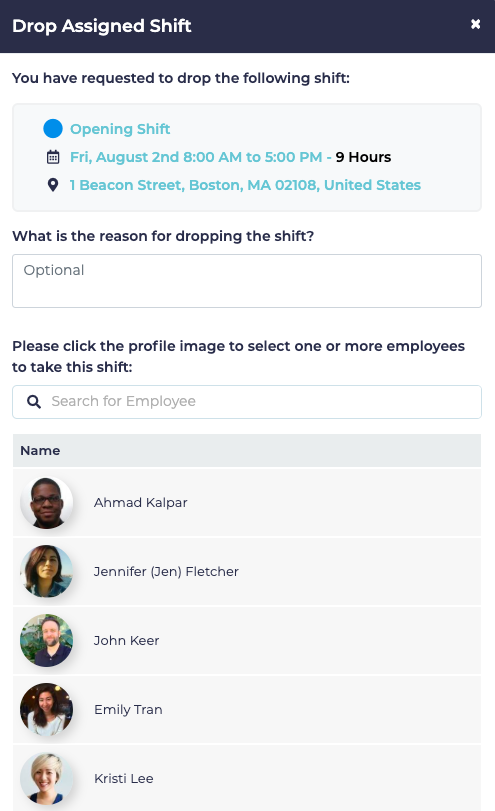
- Click Confirm.
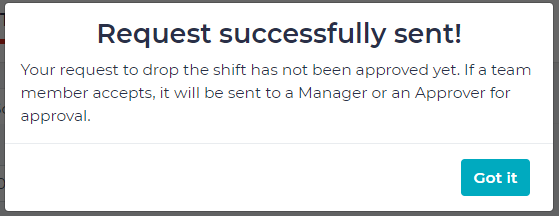
- A Request Successfully Sent window will pop up saying that the request has been sent but is still waiting for approval, click the Got it button to exit.
Not allowed
How to Drop a Shift
Not Allowed