If you need help managing your benefit plans, you can invite your partner agency or broker to the system so that they can manage all the plans for you. However, all the data is still owned by you, not by the agency you invite. The agency will have access to benefits data as long as they partner with you. If you choose to terminate the agency, then they will cease to have data access. You can then choose another agency if required.
To invite your partner agency or broker, do the following:
- Sign in to the Benefits portal with your login credentials.
- On the Dashboard, you’ll see the card for broker. The card should display “ Not connected”.

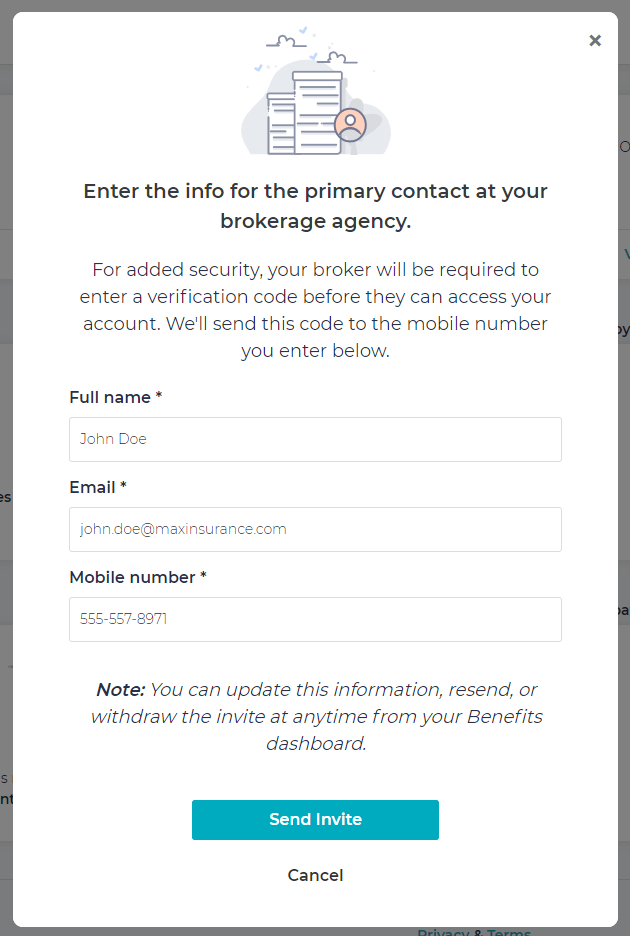
- From the broker card, click Invite My Broker and fill in the required details:
- Provide a valid full name of the contact person at the agency.
- Provide a valid email address. The agency access details is sent to this email ID.
- Provide a valid mobile number. A 6-digit verification code is sent to this mobile number, which the broker must verify before accessing the system.
- Click Send Invite.
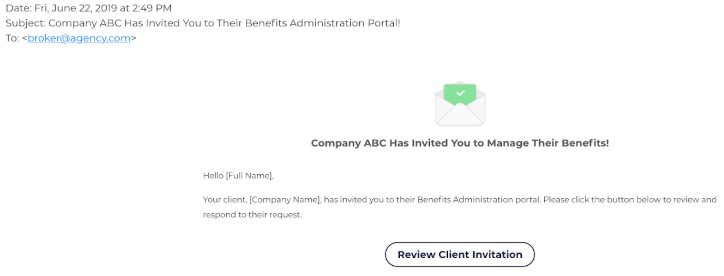
An email invite is sent to the designated agency person to register and manage your benefits. The recipient will have the option to either accept or reject your invite.
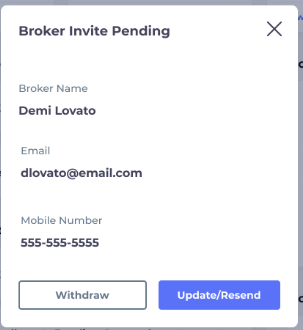
After the invite is sent, the status of the broker card on the dashboard displays “Broker Invite Pending”until the broker accepts or rejects your invitation. If the broker rejects your invite, the status of the card changes to “Broker Not Connected”. If the broker accepts your invite, then it displays “Broker Connected”.

Click View Details to view broker details. You can also update, resend, or withdraw your invite at any time. Note that you can only update or withdraw your invite before the broker accepts it.