The Time Off Policies tab allows you to pick from pre-existing policies based on your province or state. You can also create customized policies for:
- Sick Time
- Vacation
- Bereavement
- Jury Duty
- Other custom policies
To create a custom Time Off Policy:
- Click on the Create New Time Off Policy button on the right hand side of the window.
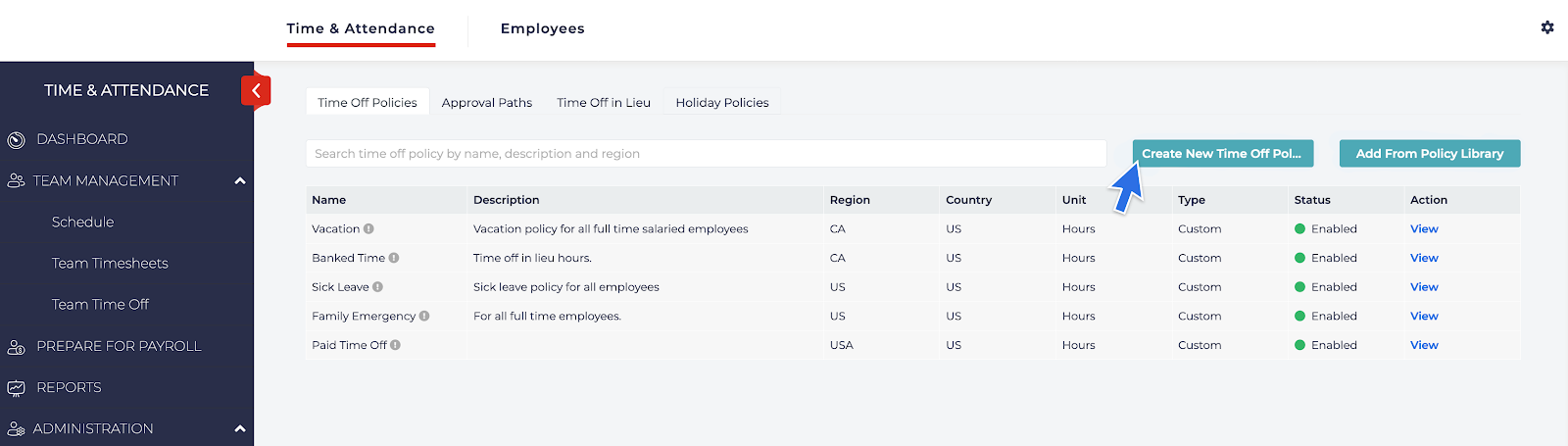
- Enter:
- Name of the policy
- Enter a region name
- Choose your country
- Whether you would like the time off to display in hours or days and enter a description if needed.
- Click Save & Next to continue to the next step.

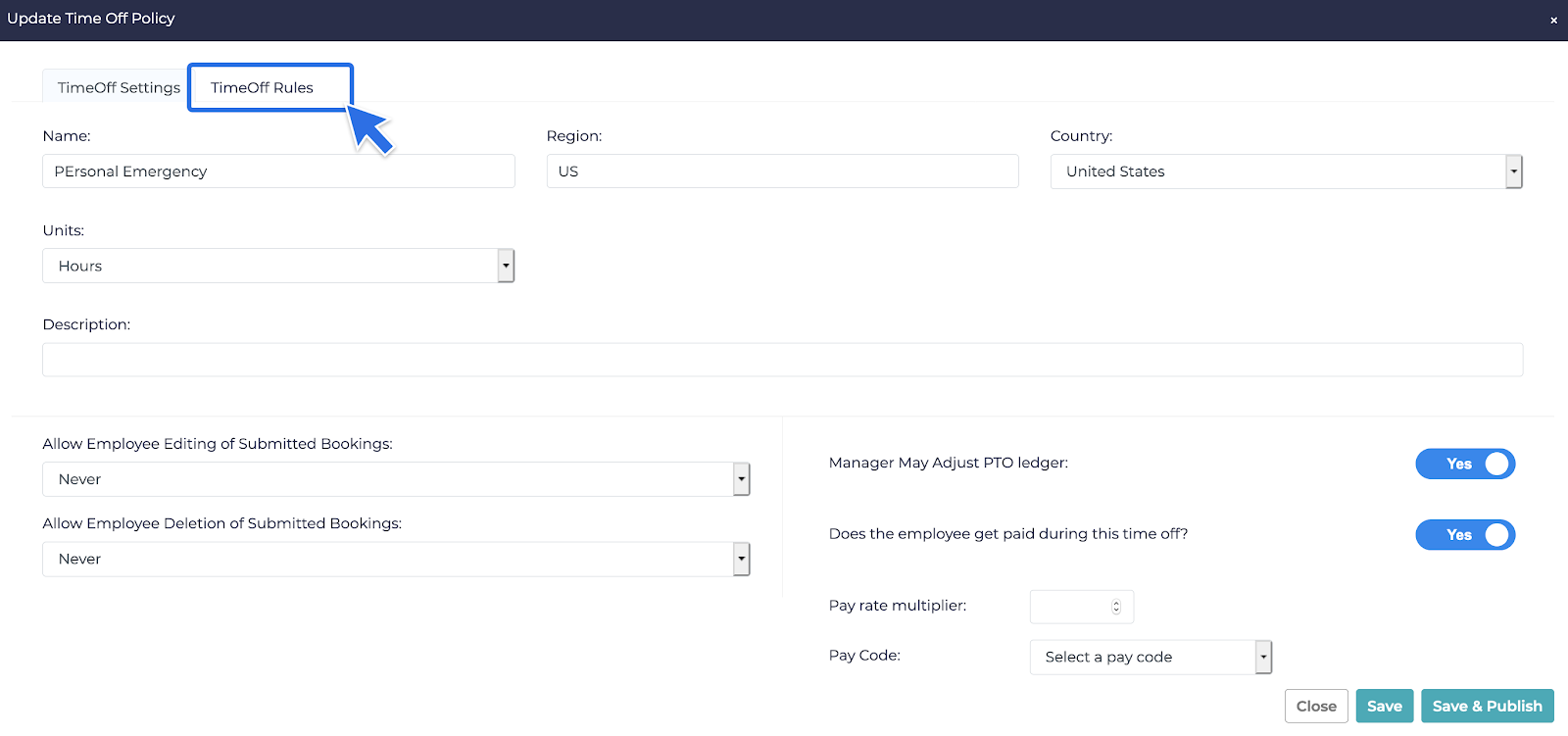
- Once the Update Time Off Policy window appears, the user can:
- Allow Employees to edit or delete submitted bookings
- Allow Managers to adjust the employees’ PTO Ledgers
- Choose whether or not the employees get paid for this time off.
- Choose a Rate Multiplier for the time off
- Choose a Pay Code for the time off
- Once Complete, click on the Time Off Rules tab at the top of the window:
- The Time Off Rules tab allows users to:
- Choose how the time is accrued (Yearly, By Pay Period, Based on Hours Worked).
- Choose how much time would be accrued and when the time would start accruing.
- Add Tenure Bonuses, if employees accrue more Paid Time Off based on tenure with the company.
- Choose a balance limit for the Paid Time Off Policy.
- Allow a negative balance for the Paid Time Off Policy.
- Choose what day the employees’ balance would reset on each year.
- Choose if the employees are paid out for their balance for this Paid Time Off Policy once they leave the company.
- Choose a waiting period for new employees in regards to time off requests for this policy.
- Choose a minimum increment for the paid time off request for this policy (8 hours, 4 hours, etc.).
- Choose whether the time off accruals are prorated for new employees.
- Choose a blackout period for time off requests.
- Choose a starting policy for this time off policy (how many hours new employees will start off with).