The Benefits dashboard provides you with more insight into important benefits and enrollment information at a glance.
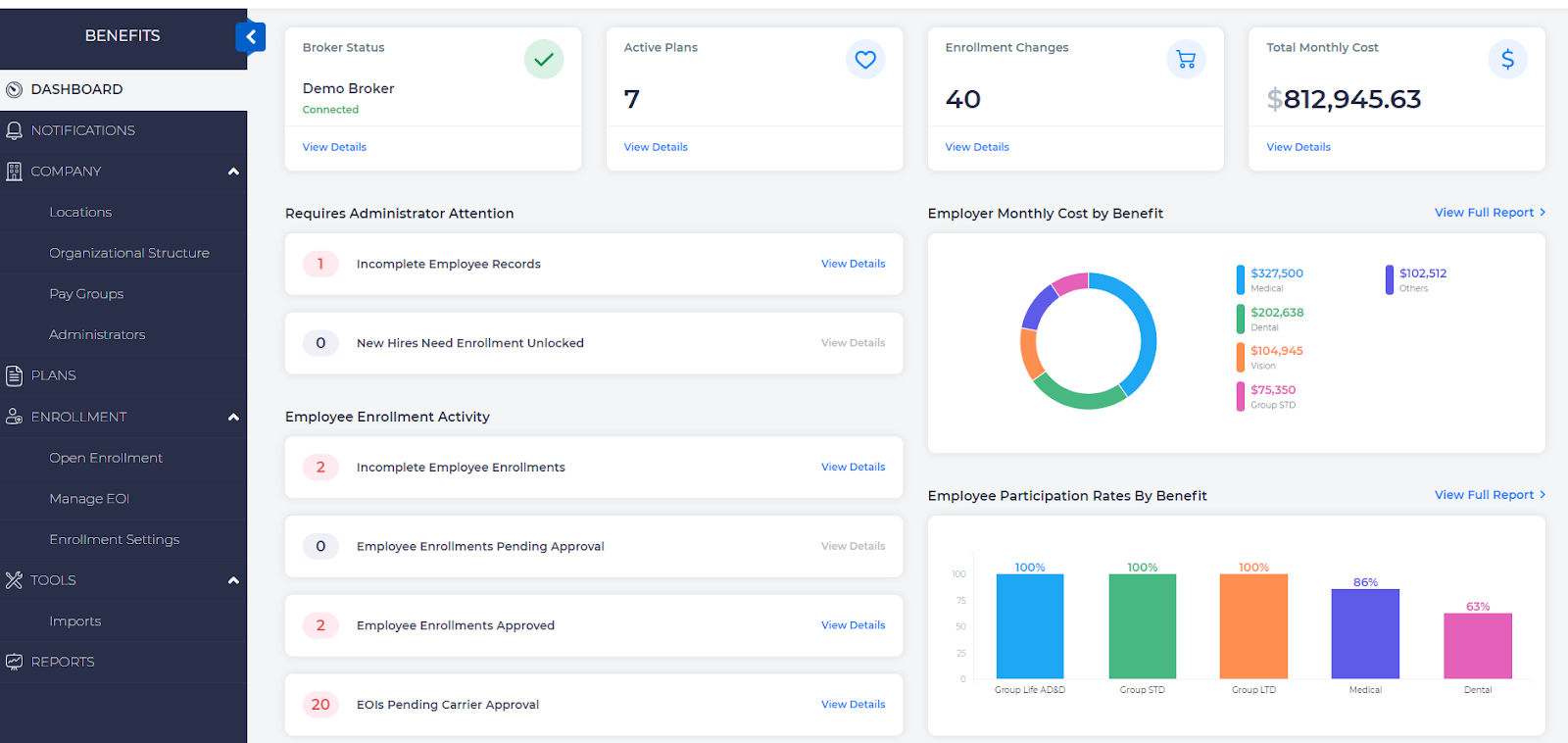
The 4 cards displayed at the top provide the following information:
- Broker card - Displays name of the broker and status, whether connected or not. You can also invite a new broker from this section if a broker is not already associated.
- Active Plans card - Displays the number of currently active plans
- Enrollment Changes card - Displays the number of enrollment changes
- Total Monthly Cost card - Displays the total monthly cost of benefits incurred by the employer for all employees
Requires Administrator Attention
Use this section to quickly take action on pending items either from employees or from you as an administrator.
Typically, this section includes warnings for:
- Incomplete employee records: Employee profile records missing some data and would typically include employee records that are synced from the payroll system.
Click View Details to view a list of employees whose profile is not complete:
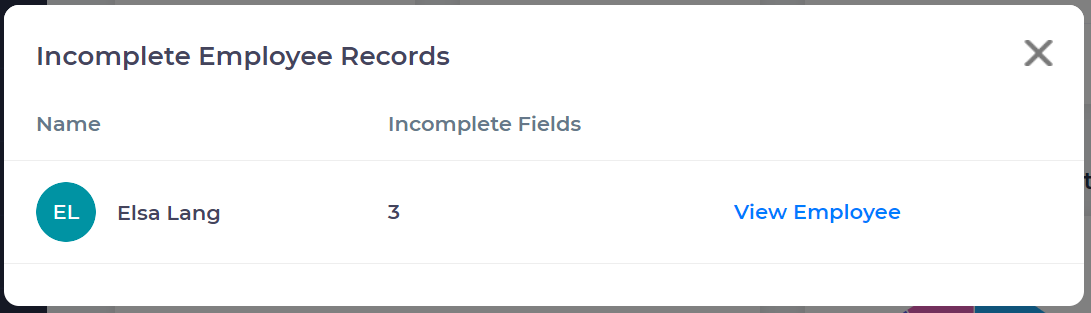
Click View Employee to navigate to the employee record that has missing information.
- Employees Missing Required Enrollment Fields: This will provide a list of employees whose enrollments are missing required fields based on plan rules, either through an import, or through changes in requirements.
Select View Details to get information about what is missing.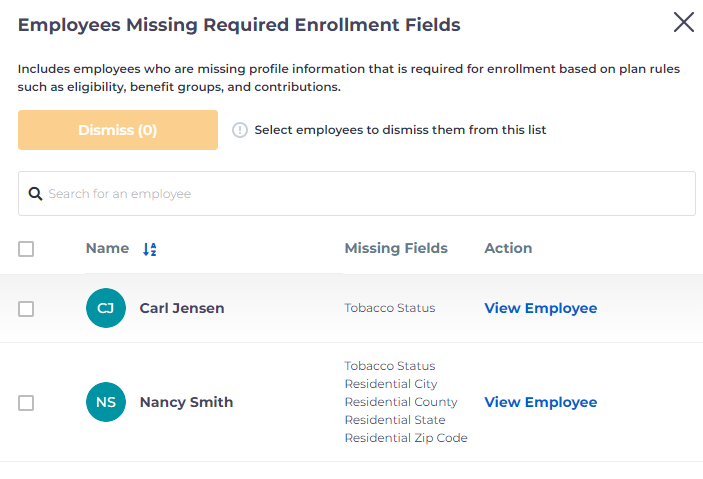
- New hires who need enrollment to be unlocked: This is for administrators to unlock the enrollment window for new hires who meet the standard eligibility criteria.
Click View Details to view a list of new hires who need enrollment window to be unlocked.
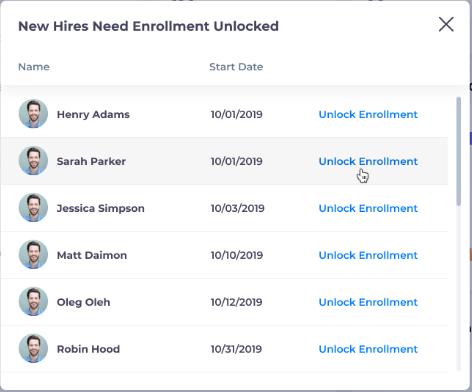
Click Unlock Enrollment to navigate to the benefits section of employee record.
There are several more reports where you may see data on this page:
- Newly Eligible Employees - includes individuals who may have just become eligible due to length of employment, etc.
- Ineligible Employees Enrolled in Benefits - Occasionally eligibility rules change, and sometimes ineligible people may be enrolled whose information needs to be rectified. This report will provide employees who have been flagged.
Employee Enrollment Activity
Use this section to view details on employee enrollment status or progress for all enrollments that are not in the Open Enrollment period. This section also includes employee enrollment amounts for Life/Disability/Accident plans that are pending for carrier approval.
Click View Details to view details of enrollment status. You can also send reminders to employees to complete their enrollment from the Incomplete Employee Enrollments window.
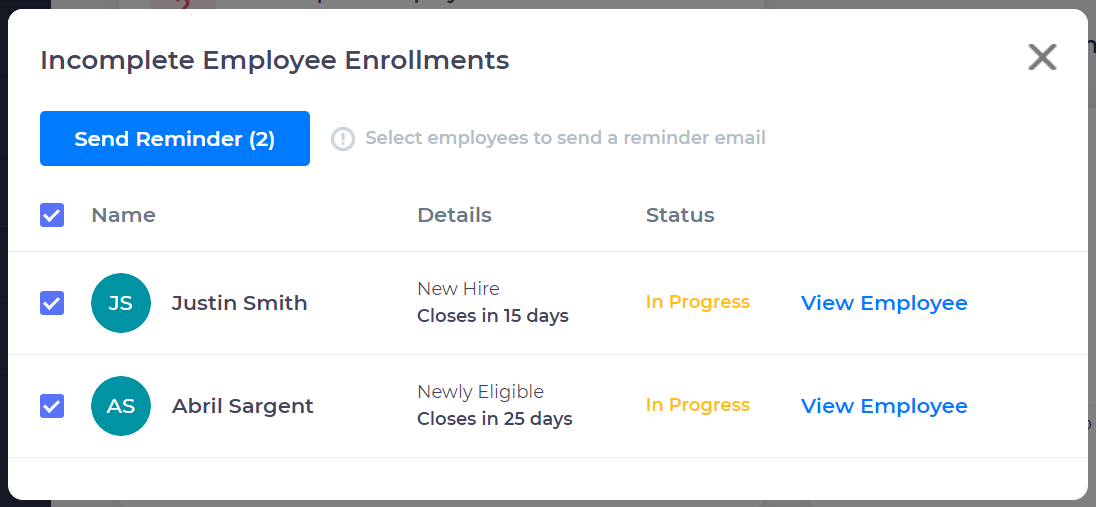
You may also see the following reports on this page:
- Employee Enrollments Pending System Approval
- Employee Enrollments Completed
- EOIs Pending Carrier Approval - Evidence of employment records provided that still need approval from the carrier.
Charts
You will also be shown a few graphical representations of basic data for understanding your plan allocations.
Employer Monthly Cost By Benefit
This chart depicts the total cost to employer for each active benefit plan. 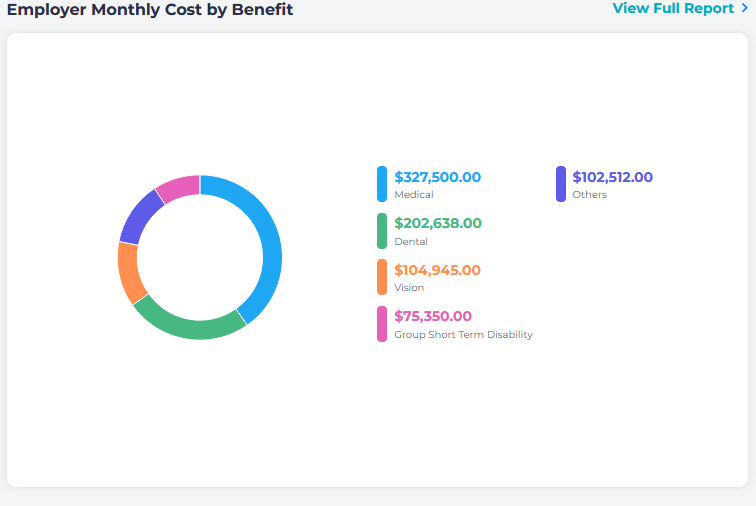
Click View Full Report to view the Employer Total Monthly Cost report.
Employee Participation Rates By Benefit
This chart depicts the percentage of employee participation or enrollment for each benefit plan.
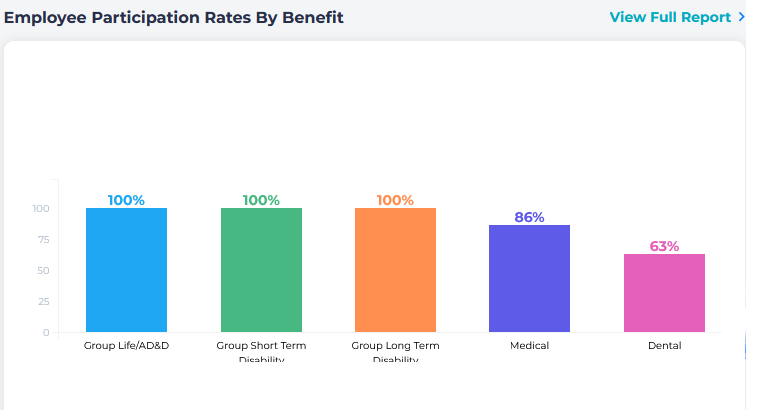
Click View Full Report to view the Employee Participation Rates By Benefit report.