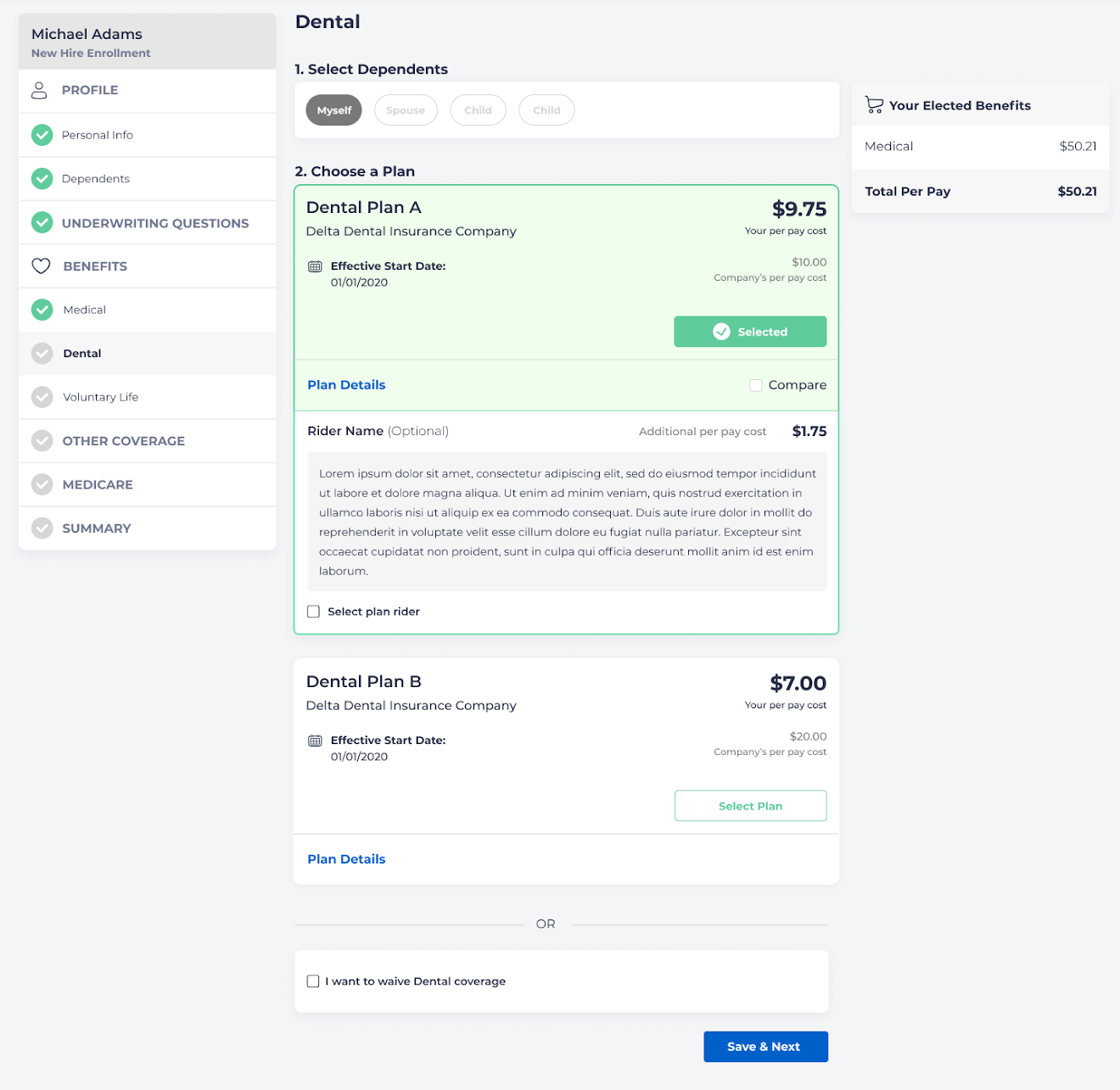
Riders are optional supplemental benefits added to a policy that provide employees additional coverage for an additional cost.
To set up a rider for a plan, go to Benefits - Plans and select the correct plan. Choose the “Riders” tab.
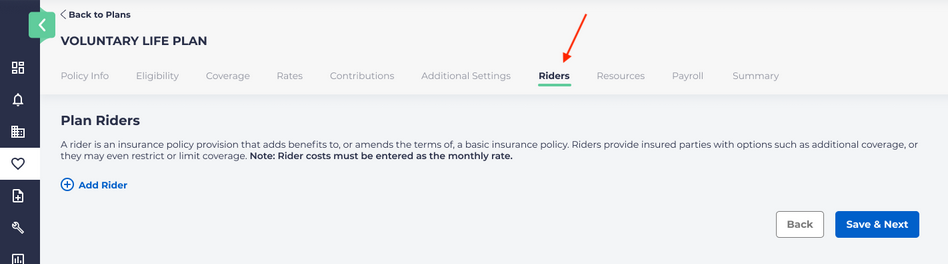
Click on “Add rider.”
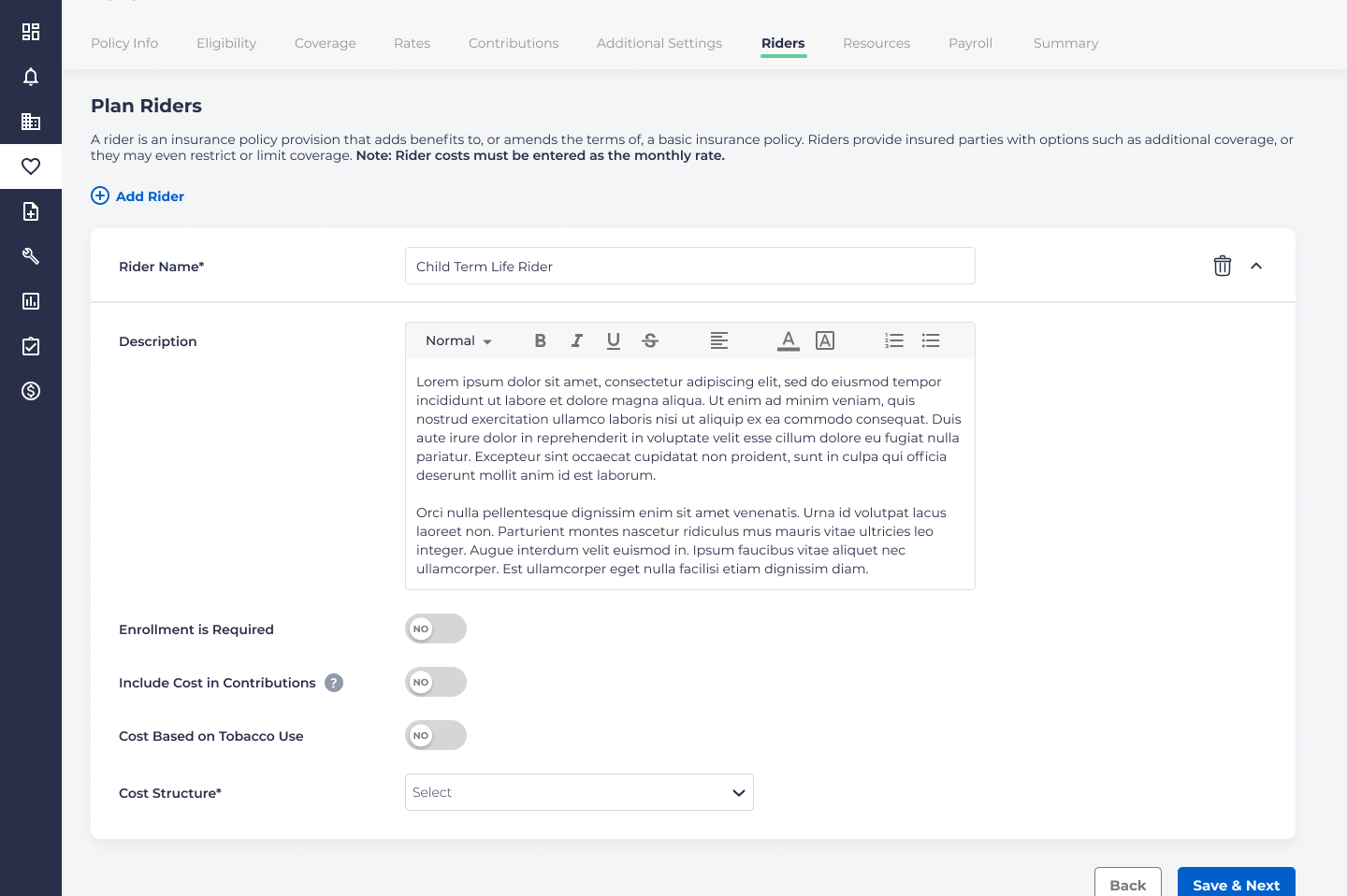
Enter a Rider Name and a Description. These fields will show to employees during the enrollment process.
Indicate whether the rider is required on enrollment.
The field labeled “Include Cost in Contributions” indicates whether the employee or the employer will pay the cost of the plan addition. If this indicator is set to “no,” then the expense must be paid for by the employee if the rider is chosen. If the field is toggled to “yes,” then both the employee and the company will pay the cost of the rider. The changes will be reflected on the employee’s enrollment screen.
You may also specify whether the cost of the rider is based on whether the employee uses tobacco or not.
Cost Structure
Cost Structure can have the following options:
- Age
- Composite
- Composite plus Age
- Flat
Flat Rate
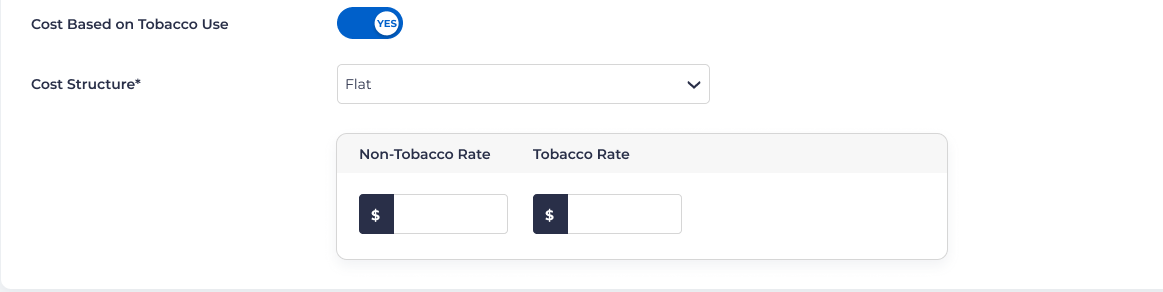
If flat rate is selected, you will be prompted to enter the rate: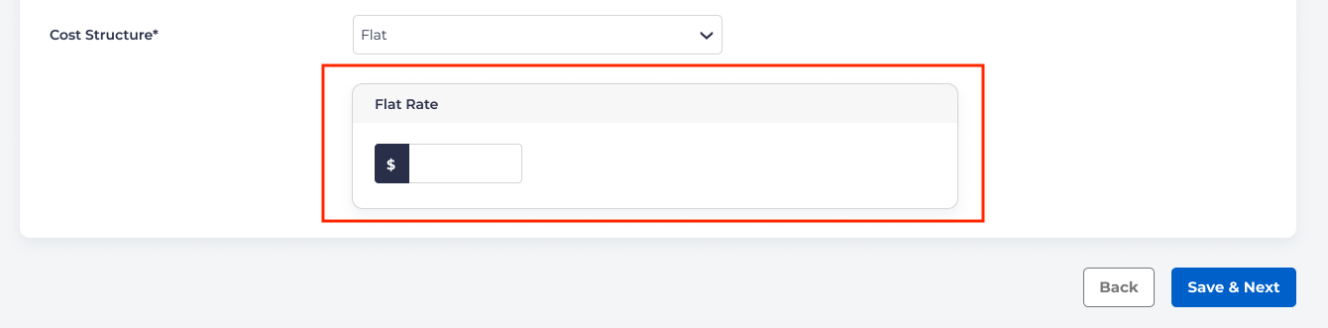
For flat rate riders, the cost is the same for all employees who select it.
If there is a different rate for tobacco users, you will be requested to enter the different rates:
Composite Rate
If composite rate is selected, you will need to choose a coverage tier:
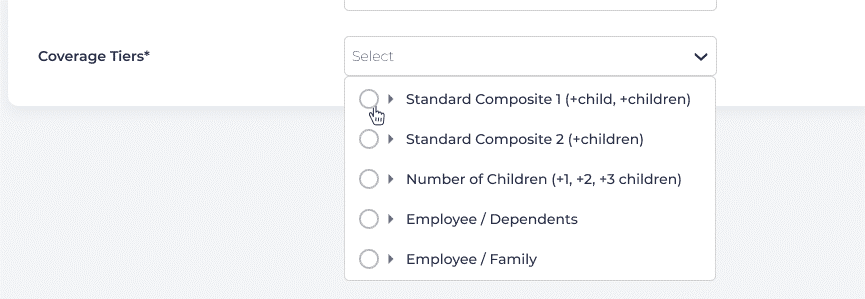
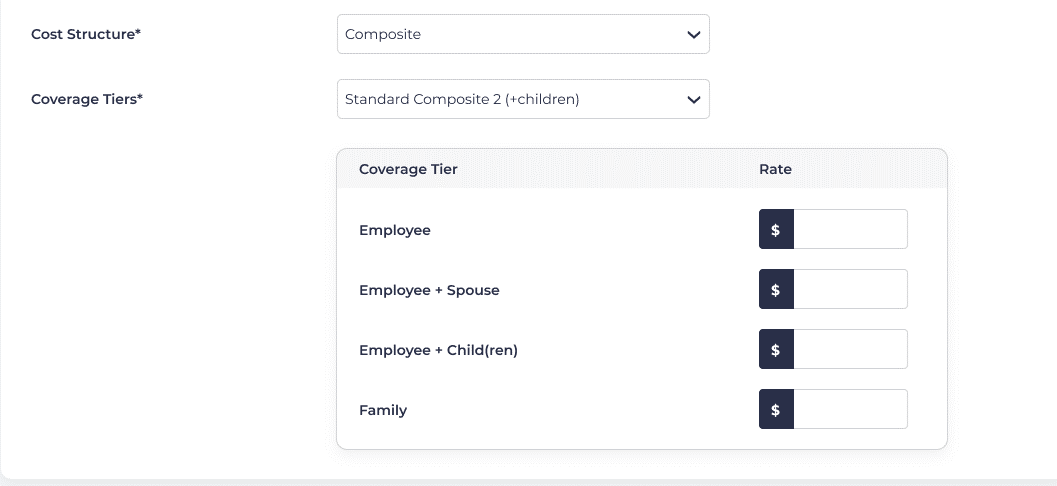
Each coverage tier will provide different options, depending on which selection you have made. For instance, if Standard Composite 2 (including multiple children) is chosen, then options will be displayed for the rate for the employee, employee plus spouse, employee plus children, or for the entire family.
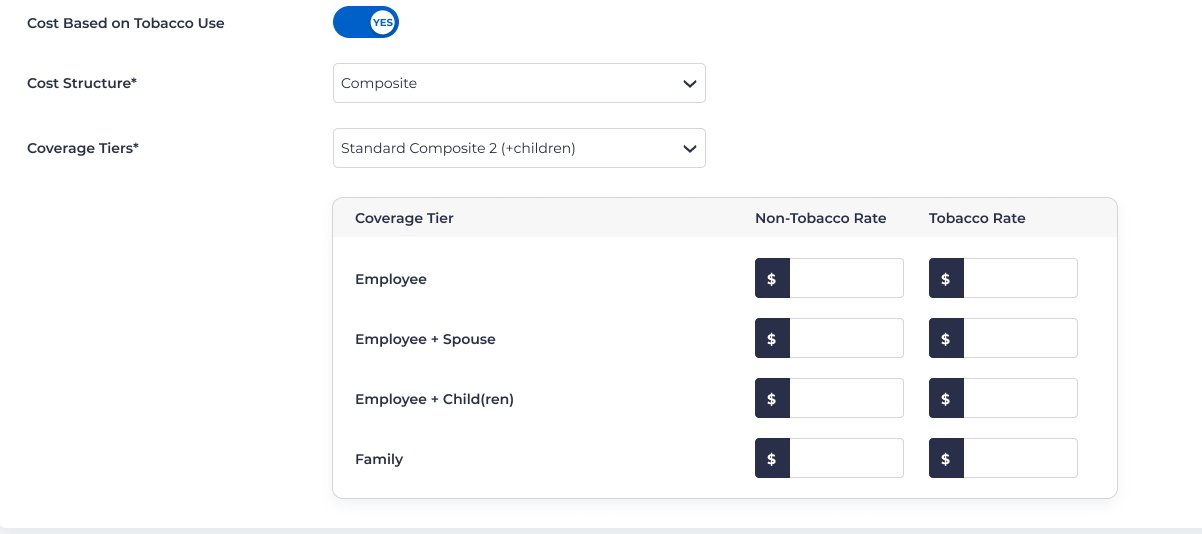
If tobacco use was determined as a cost determinant, there will be column for each with a different rate for those who use tobacco:
Age Rate
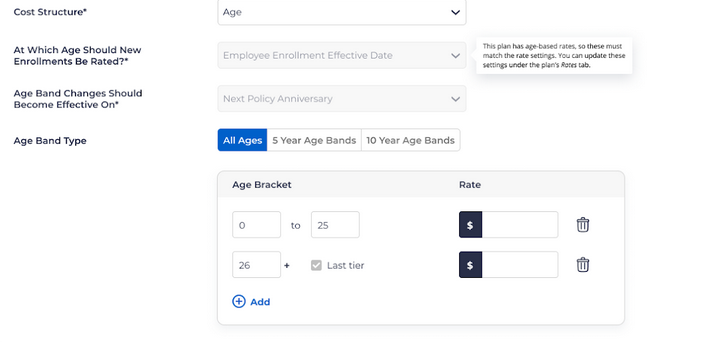
If Age is chosen as the determinant for cost structure, several new questions will appear, including:
- The age at which enrollments should be rated.
- The age band the changes should become effective on.
- The age band type.
Note, if the plan to which the rider is being attached is set up for age, the criteria for the rider will be locked in place.
For example:
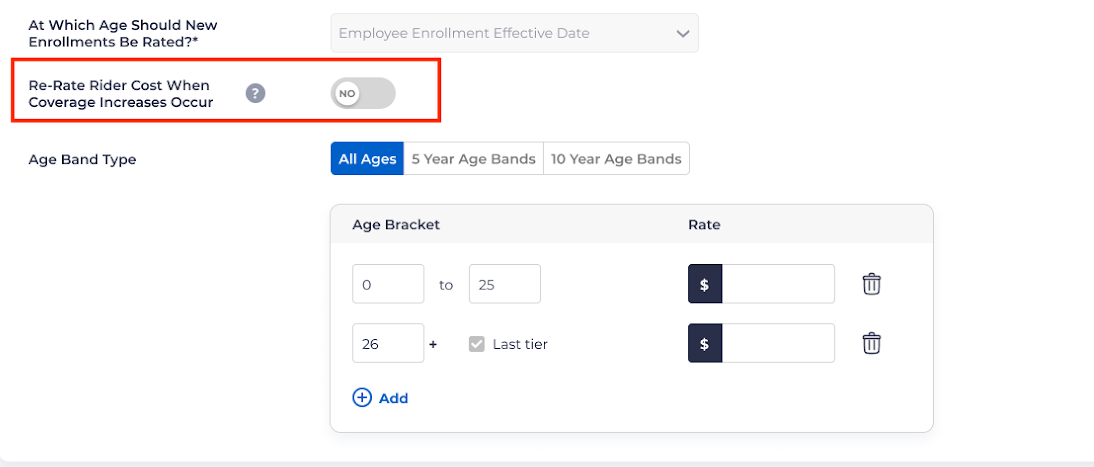
For Life/Disability plans, if the plan does have age-based rates and Issue Age = Yes, then the Age Band Changes Should Become Effective On field will be replaced with a toggle field for Re-Rate Rider Cost When Coverage Increases Occur
Composite Plus Age Rate
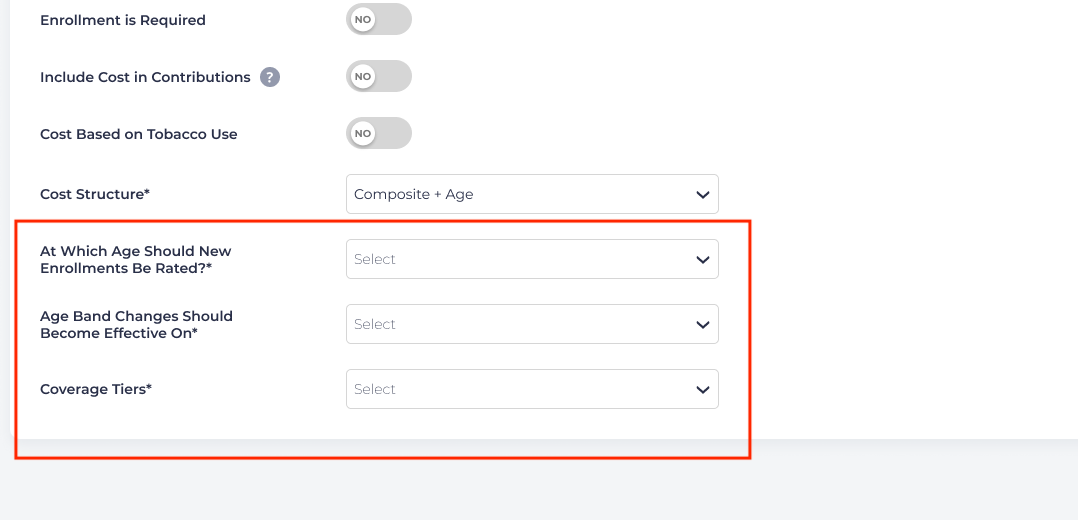
If this rate structure is chosen, what is displayed is dependent on whether or not the plan has age-based rates. If there are no age-based rates, the following will be displayed:
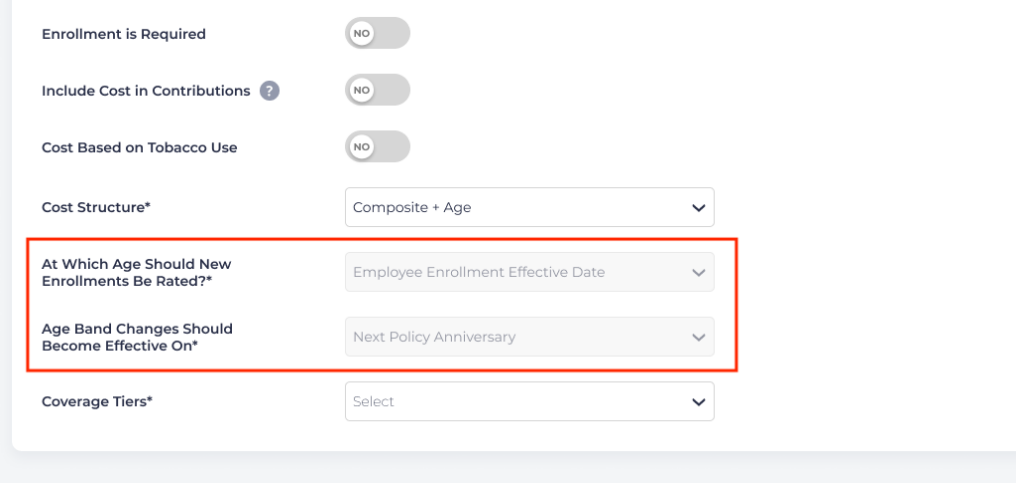
If the plan does have age-based rates, the following will be displayed:
Once you have selected the coverage option, you will see the tiers and rate settings below:
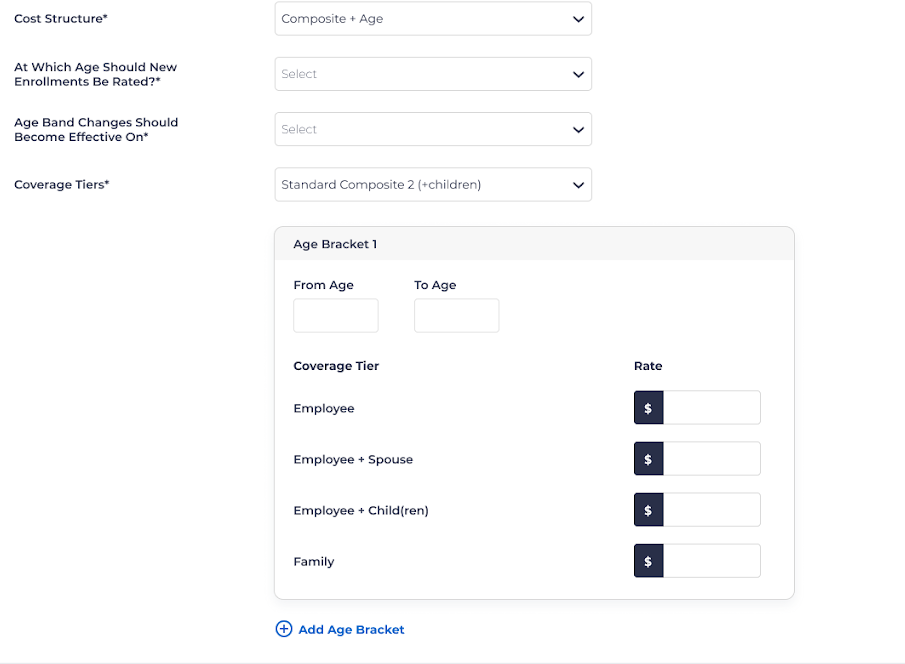
You can also add new age brackets if it is necessary.
Employee Enrollment
If a plan has a rider attached, employees will see it on the enrollment screen as shown, and they will be able to select the rider in addition to its associated plan.