Occasionally, there are circumstances where a punch is not syncing properly, or the system is showing a missing punch after it has been corrected.
In this circumstance, it may be necessary to recalculate a single or all timesheets.
To recalculate timesheets, click Team Timesheets.
Select the timesheet pay period you wish to recalculate.

Next, select the employees whose timesheets you wish to recalculate, and then select Bulk Actions and then select Recalculate.
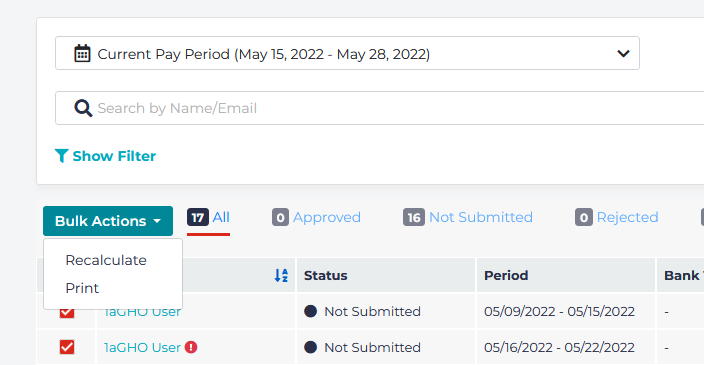
You will then be presented with a popup asking you to confirm whether you wish to recalculate the values of the selected timesheets:
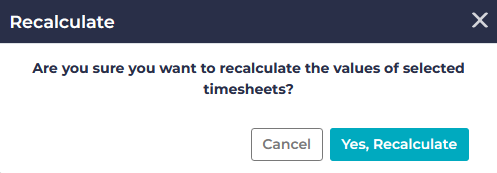
Click on Yes, Recalculate. Note, the process may take a few minutes to complete.