To sign up for ACA Compliance:
- Login to your Benefits account.
- From the left navigation panel, select ACA. If this is the first time you have registered for ACA Compliance, the ACA Dashboard will be blank. If you have already set up your ACA Compliance before, select Setup to update your settings.
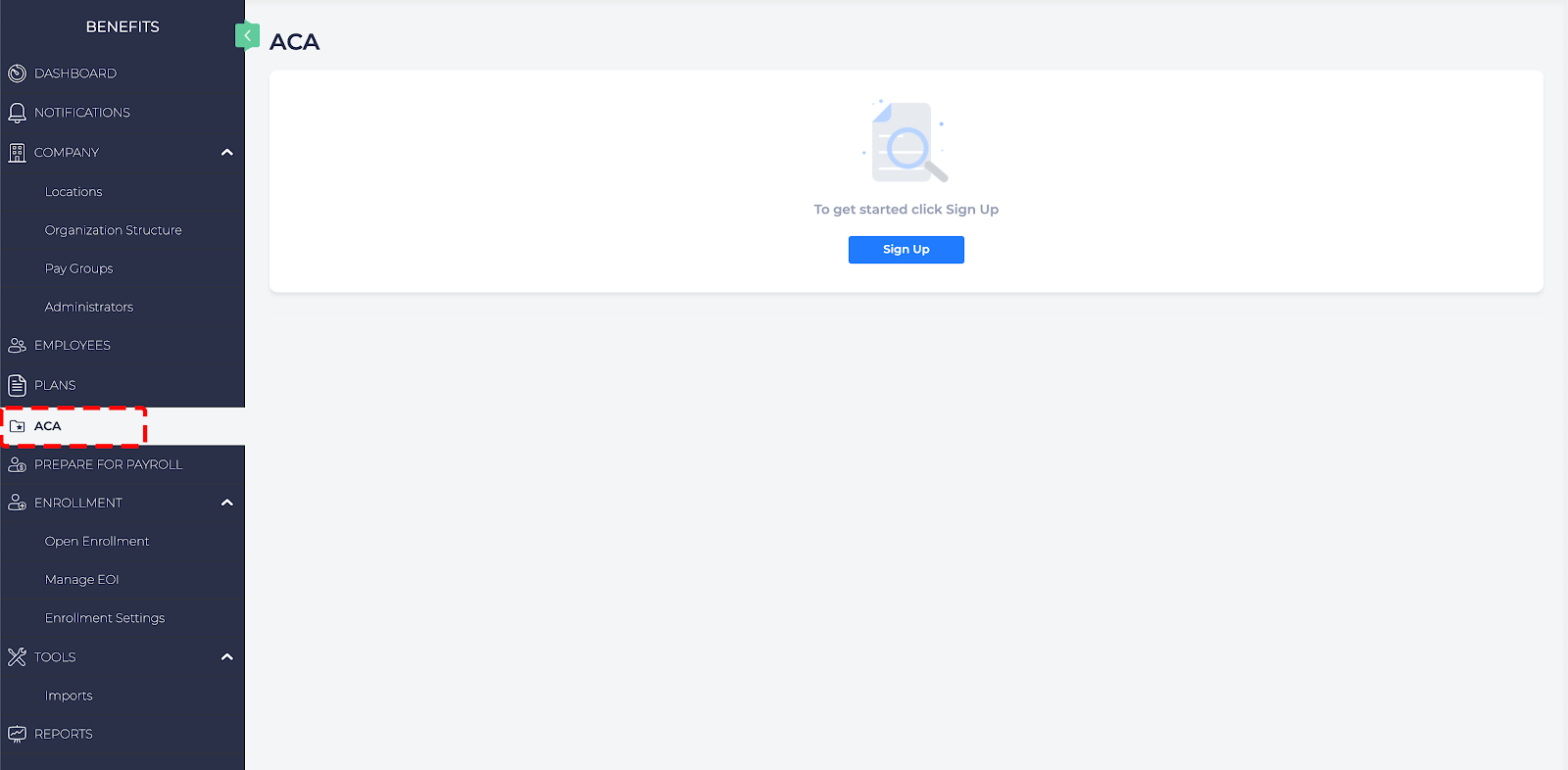
- Select Sign Up.
- If your company is an Applicable Large Employer (ALE) and what year your company became an ALE. Select Continue.
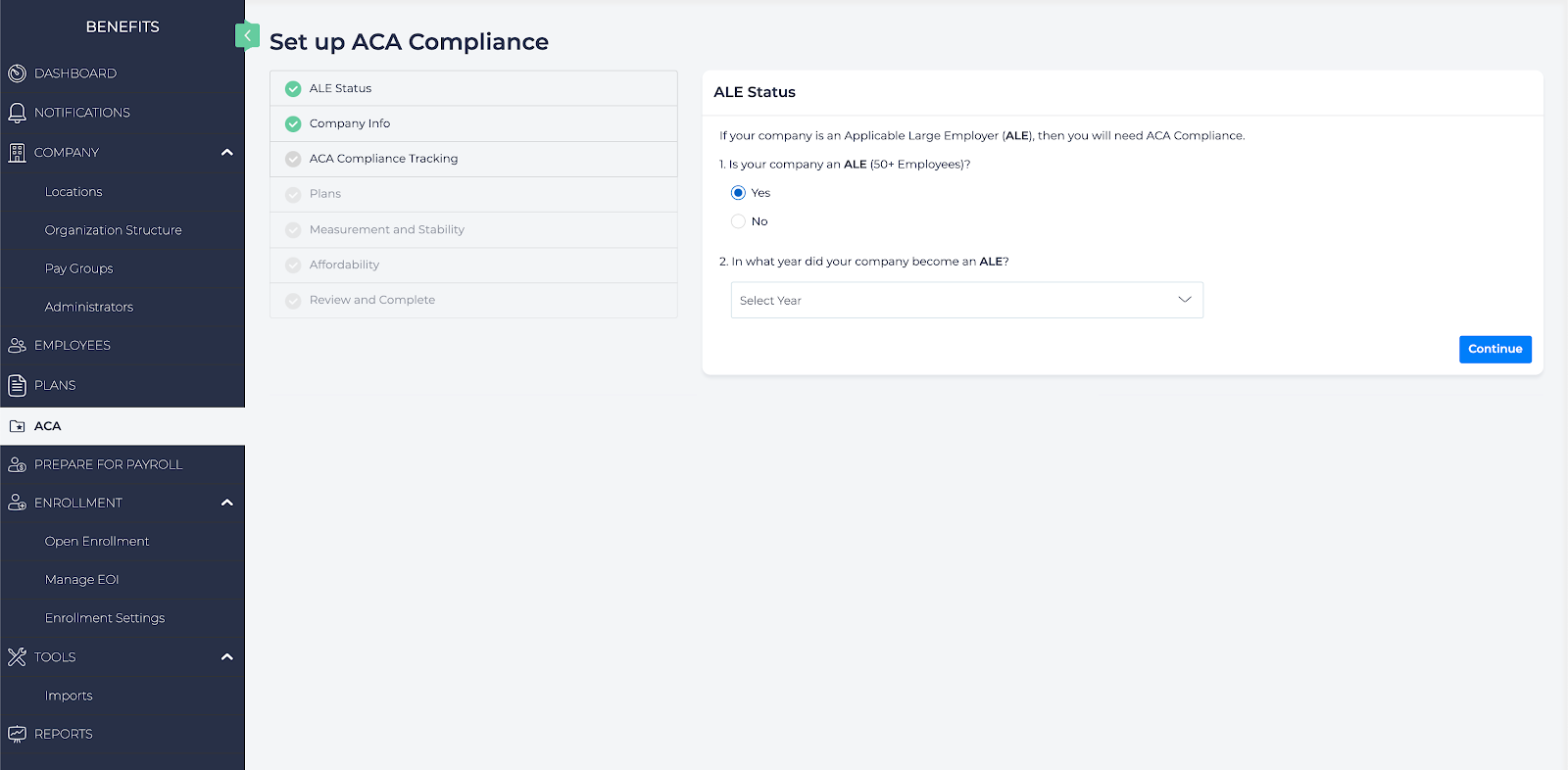
- Enter the following company information. This information is submitted to the IRS in forms 1094-C and 1095-C. When finished, click Continue.
- Name of ALE Member (aka the Employer)
- Employer Identification Number (EIN)
- Street Address
- City or Town
- State or Province
- Country
- Zip or Foreign Postal Code
- Contact Person
- Contact Telephone Number
- Select the first year to track ACA Compliance, then select Continue.
- Select the medical plans that were made available for employees for the years requiring ACA Compliance. Verify that the plans offer the following:
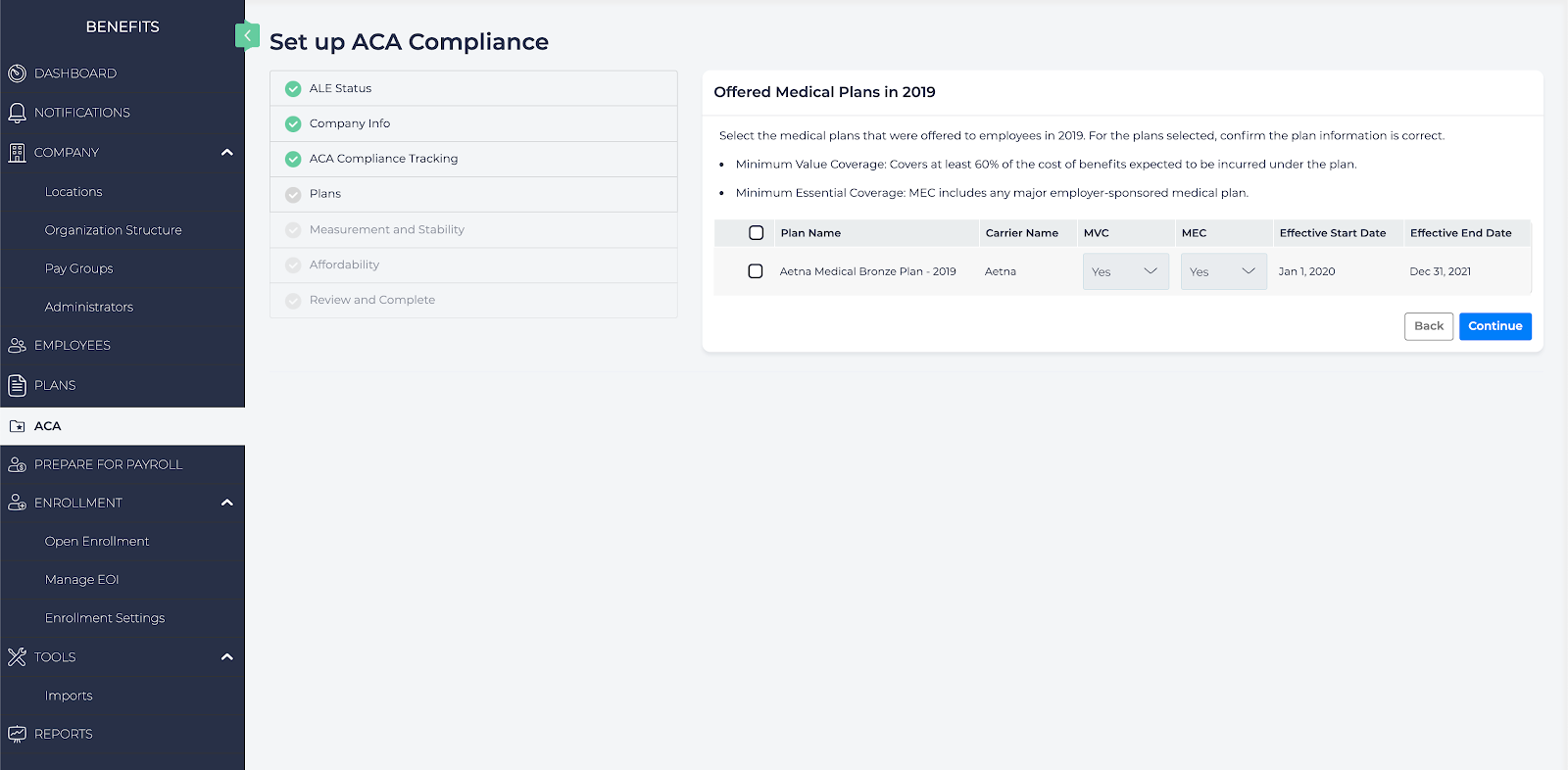
- Minimum Value Coverage: Covers at least 60% of the cost of benefits expected to be incurred under the plan.
- Minimum Essential Coverage: MEC includes any major employer-sponsored medical plan.
- Select Continue to move to the next step.
- The next page titled Setup Your Lookback Method reviews how Benefits ACA Compliance will review the hours worked by part time and full time employees to ensure they have worked the required amount of hours for which employees are benefit eligible. Select Continue.
- Set the following, then select Continue:
- Measurement Period: The period of time to use to verify compliance. This period must be at least three months in length but no longer than 12 months. During this time the employee must have averaged at least 30 hours a week.
- Admin Period: The administrative period of up to 90 days in addition to the initial measurement period and standard.
- Stability Period and Month: A period that is not less than six months or less than the measurement period. In this time, the employer must offer coverage to full-time employees during the measurement period regardless of hours worked during the stability period. For example: if the measurement period is three months, the stability period must be at least six months. If the measurement period is 8 months then the stability period must also be 8 months.
- The next page Initial Measurement Period (New Hires) provides information on how new hires are classified based on whether they are part-time, variable hour, or full time. Review this information and select Continue.
- Set the Affordability Safe Harbors. These are used to verify that the required contributions do not exceed 9.86% of the employee’s household income. Select which Safe Harbor to use to determine the plan’s affordability, then select Continue:
- Rate of Pay: The Employee’s hourly pay rate.
- W-2 Wages: The Employee’s reported W-2 wages.
- Federal Poverty Line: Based on the poverty line for an individual.
- The final step is Review and Complete. Verify that the information is accurate, and if so select Complete to save the ACA Compliance settings.
Once set, the Benefits app will monitor the Employee’s hours and offers of coverage.