The ACA Compliance Reports are access by selecting ACA from the Navigation bar, then from the Dashboard selecting one of the following reports:
- Compliance Overview
- Ongoing Measurement Period
- New Hire Measurement Period
Compliance Overview
The Compliance Overview report displays a list of the company employees and their ACA Compliance.
The report can be filtered based on the Employee Name and by the Filing Year.
The report has the following columns:
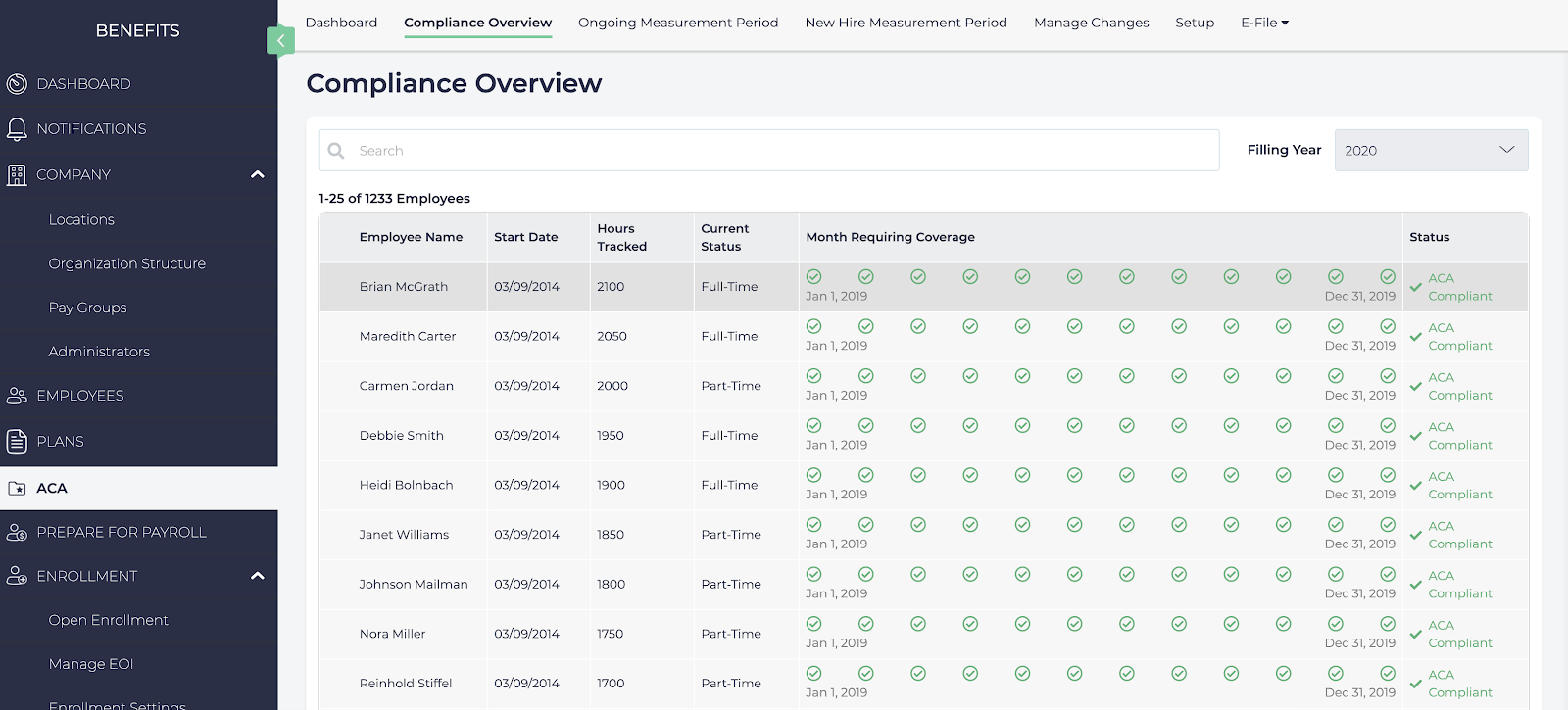
- Employee Name: The employee’s first and last name.
- Start Date: When the employee first started with the company.
- Hours Tracked: The total number of hours tracked based on the last twelve months.
- Current Status: Whether the employee is Full Time, Part Time, or Variable Hour.
- Month Requiring Coverage: Lists which months the employee is required to be covered for health care, and which months they were compliant for.
- Status: Whether the employee is ACA Compliant or not.
Ongoing Measurement Period
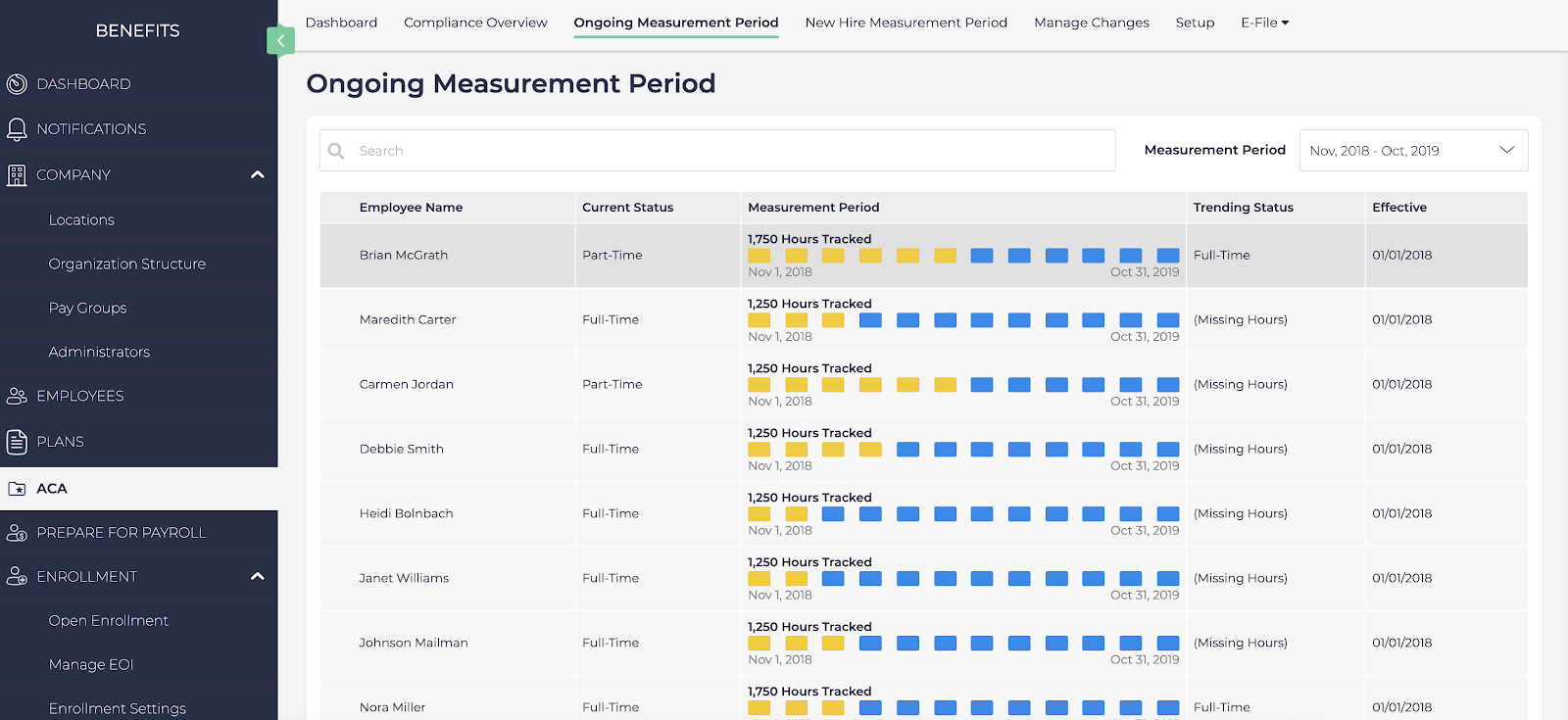
The Ongoing Measurement Period report displays employee compliance during the setup Measurement Period. For more information, see How to Setup ACA Compliance.
The report can be filtered based on the Employee Name, or by the Measurement Period.
This report displays the following columns:
- Employee Name: The employee’s first and last name.
- Current Status: Whether the employee is Full Time, Part Time, or Variable Hour.
- Measurement Period: The period of time to verify compliance.
- Trending Status: Indicates the direction of the employees status based on their hours collected. For example, if a part time employee is working many hours they may be trending towards Full Time status.
- Effective: When the employee’s coverage should be effective based on their employment status and hours worked.
New Hire Measurement Period
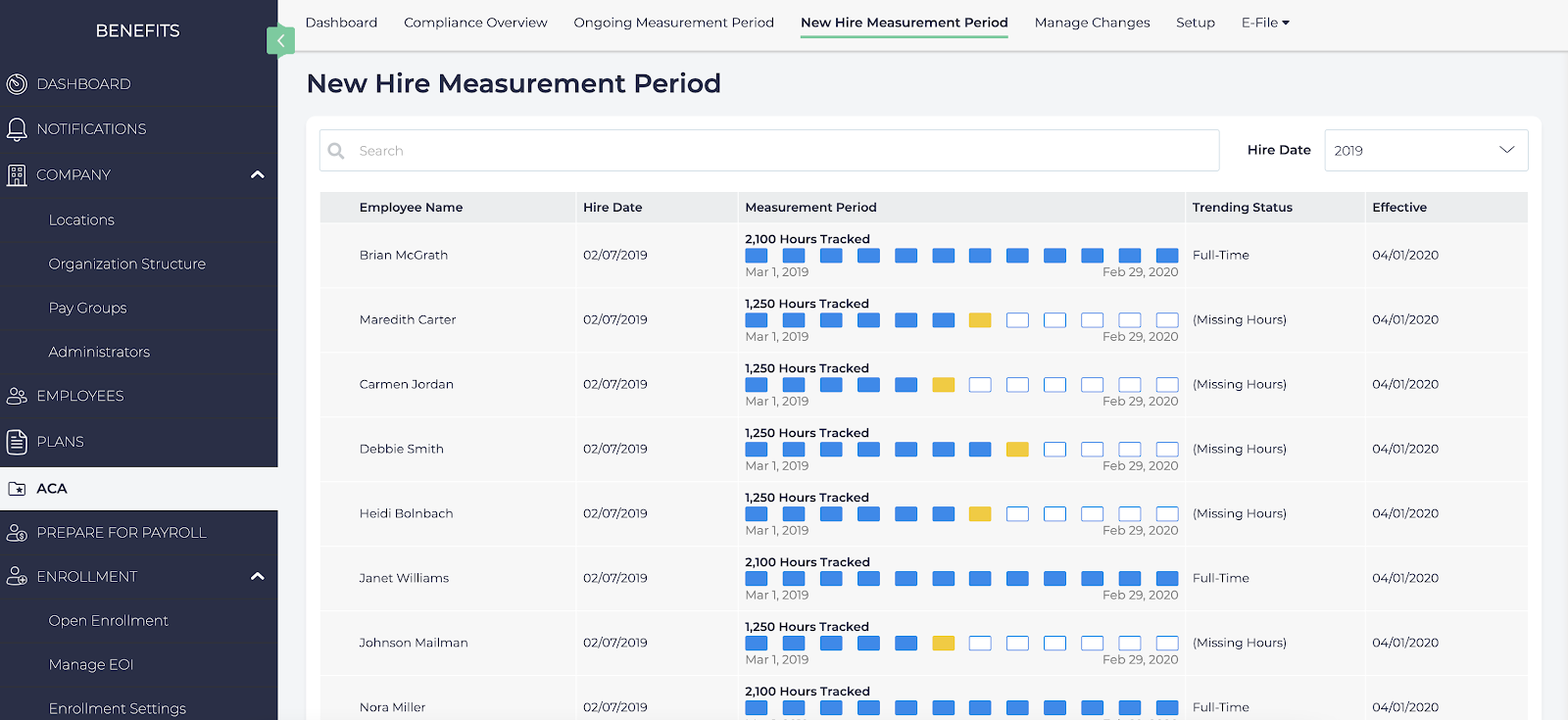
The New Hire Measurement Period report displays compliance for new hires over the Initial Measurement Period. For more information, see How to Setup ACA Compliance.
The report can be filtered based on the Employee Name, or by the Hire Date.
This report displays the following columns:
- Employee Name: The employee’s first and last name.
- Current Status: Whether the employee is Full Time, Part Time, or Variable Hour.
- Measurement Period: The period of time to verify compliance.
- Trending Status: Indicates the direction of the employees status based on their hours collected. For example, if a part time employee is working many hours they may be trending towards Full Time status.
- Effective: When the employee’s coverage should be effective based on their employment status and hours worked.