Your 1094-C and 1095-C forms can be filed electronically to the IRS from the Benefits ACA Compliance page through the third party company Nelco. For more information on Nelco and their rates, see the Nelco Filing Information page. For more information on ACA and 1095 forms, see the Nelco ACA/1095 Filing Resources.
Electronically filing your information provides a quick and sure method of submitting your ACA Compliance documents to the IRS. All of the complexity for filling out for forms for each employee is handled and the submission is filed at the state and federal level.
To E-file your ACA Compliance documents:
- From the ACA Dashboard menu, select E-File > Audit & E-File. This will open a link in a new tab or browser window.
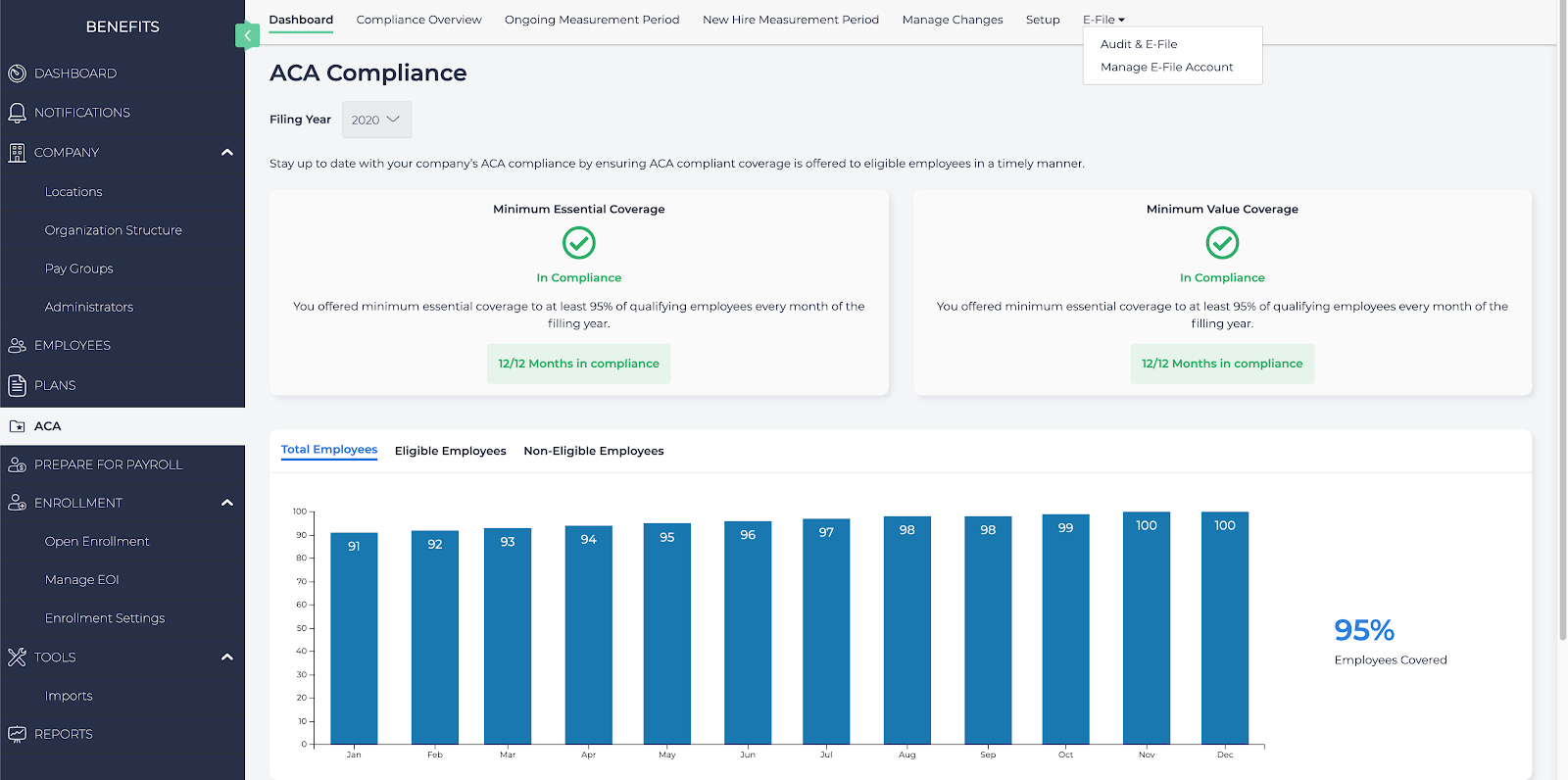
- You will be transported to the Nelco forms submission page. Select the following:
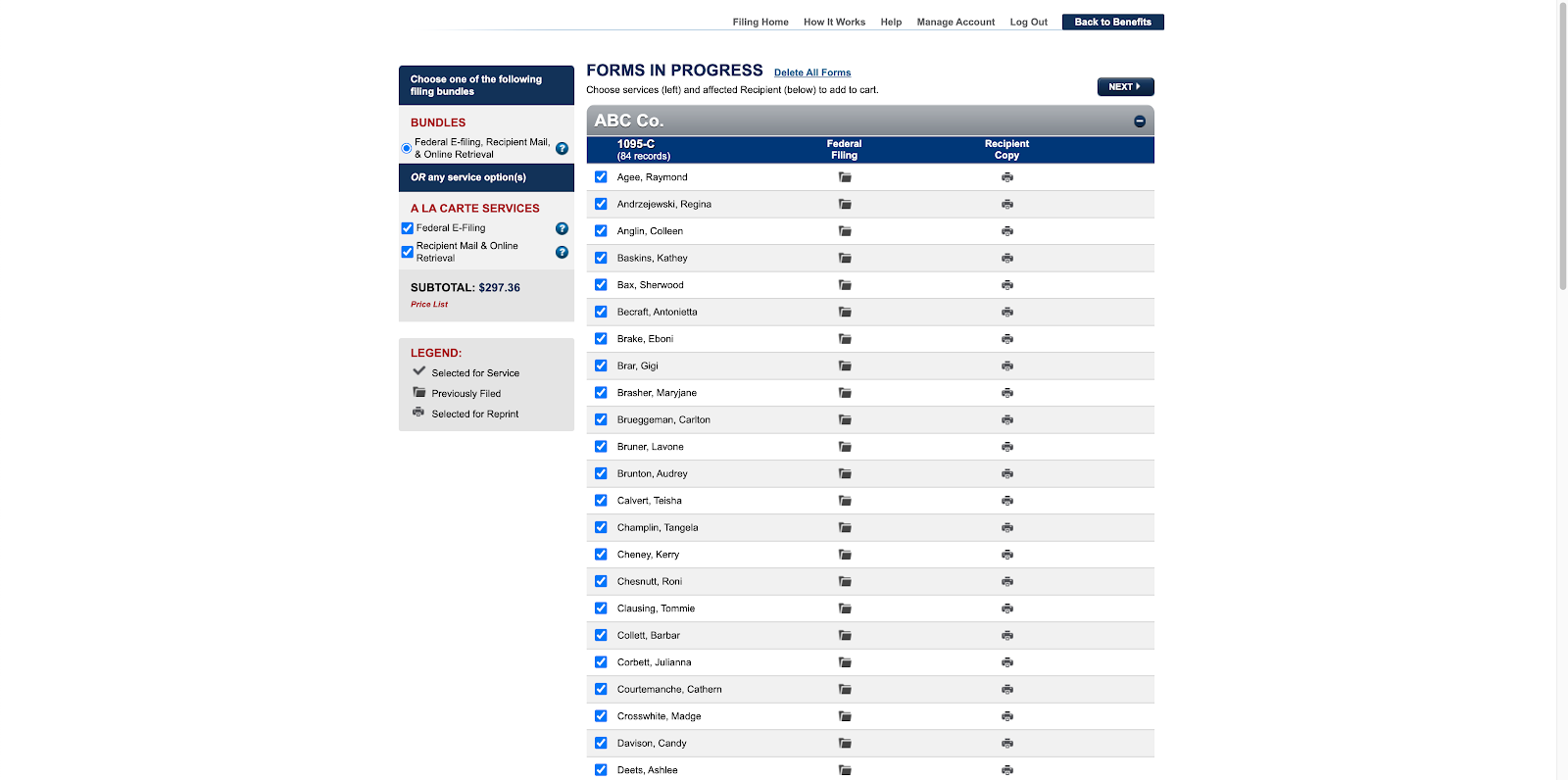
- Services: Select either to bundle all filing services together, or select the individual services to use when filing.
- Employees: Select which employees to file forms for.
- When ready, select Next to continue.
- Confirm the details and costs, then select Next to continue.
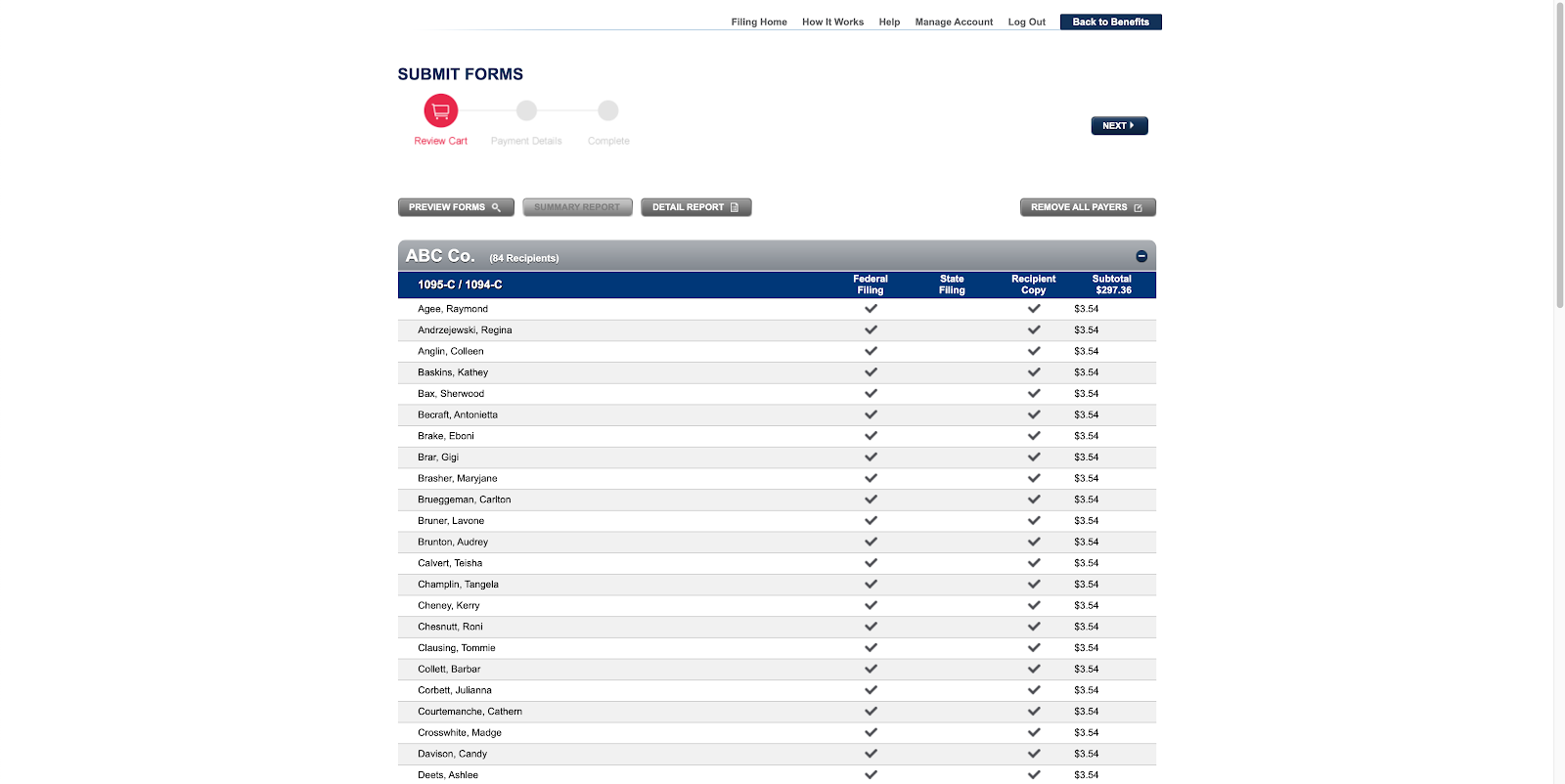
- Submit your payment information, then select Pay & Submit.
Once done, the ACA Compliance documentation will be submitted.