Occasionally, changes to an employee’s profile may result in an employee losing eligibility for a product in which they are currently enrolled, but also can result in them becoming eligible for new products.
In this case, upon save, both pieces of information will appear in the popup modal.
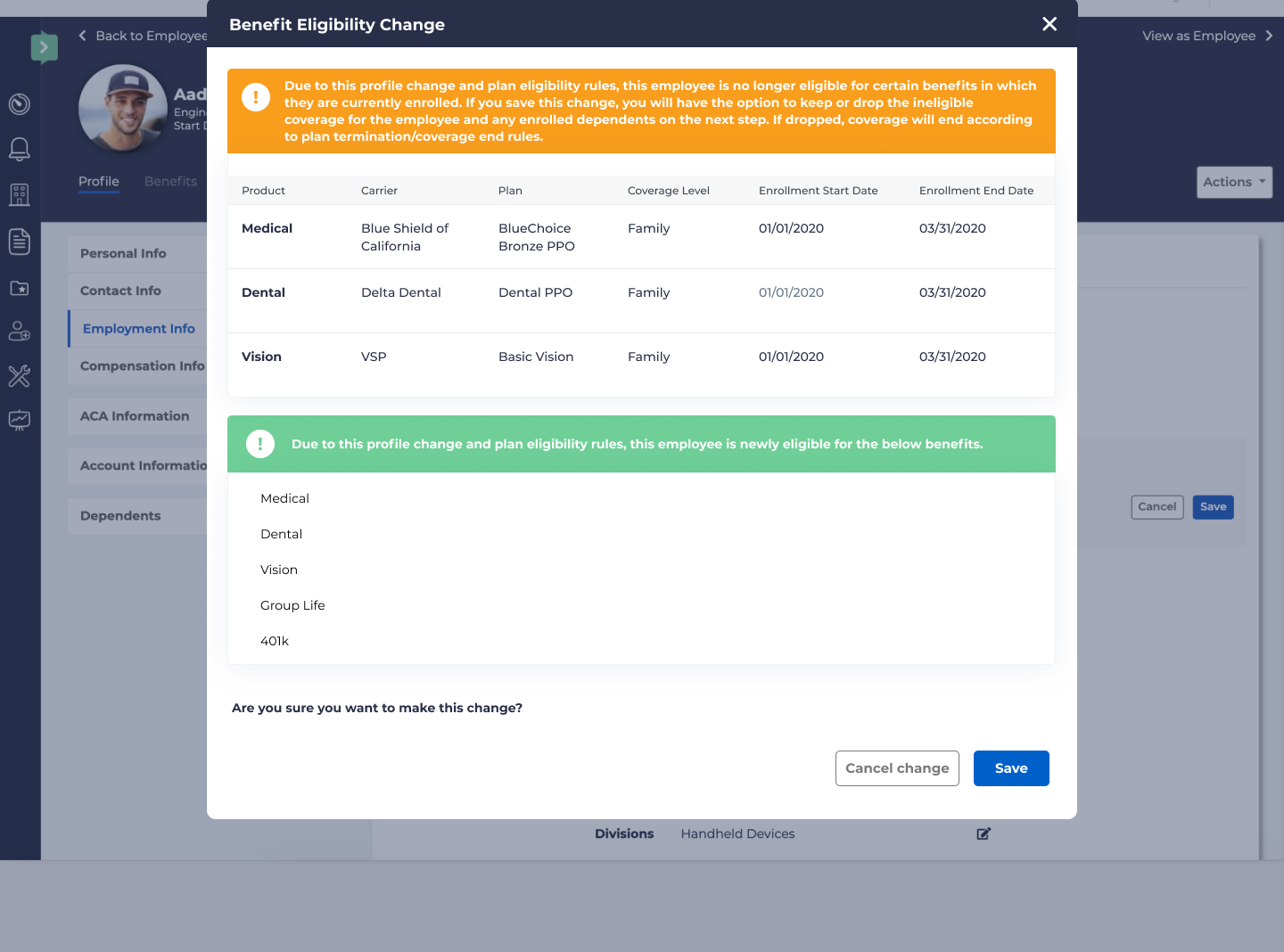
If the you click “Cancel change,” no changes to the profile will be made. If “Save” is selected, the profile change will be saved, and the following popup window will be displayed:
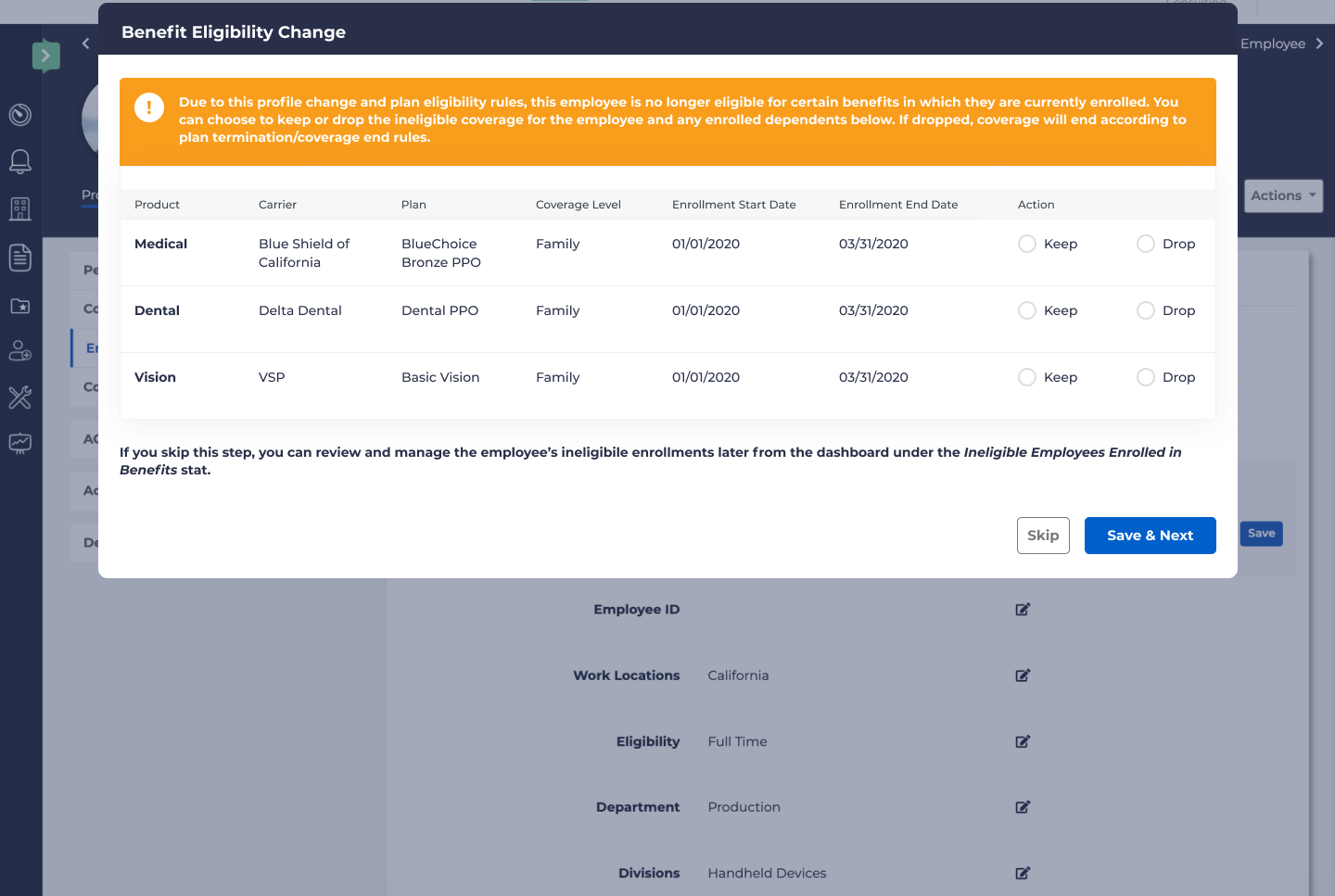
This will follow the same process as is handled if a person is no longer eligible to their enrolled products.
If you select “Save” or “Skip” it will display the following screen, which is the same as when an employee becomes newly eligible.
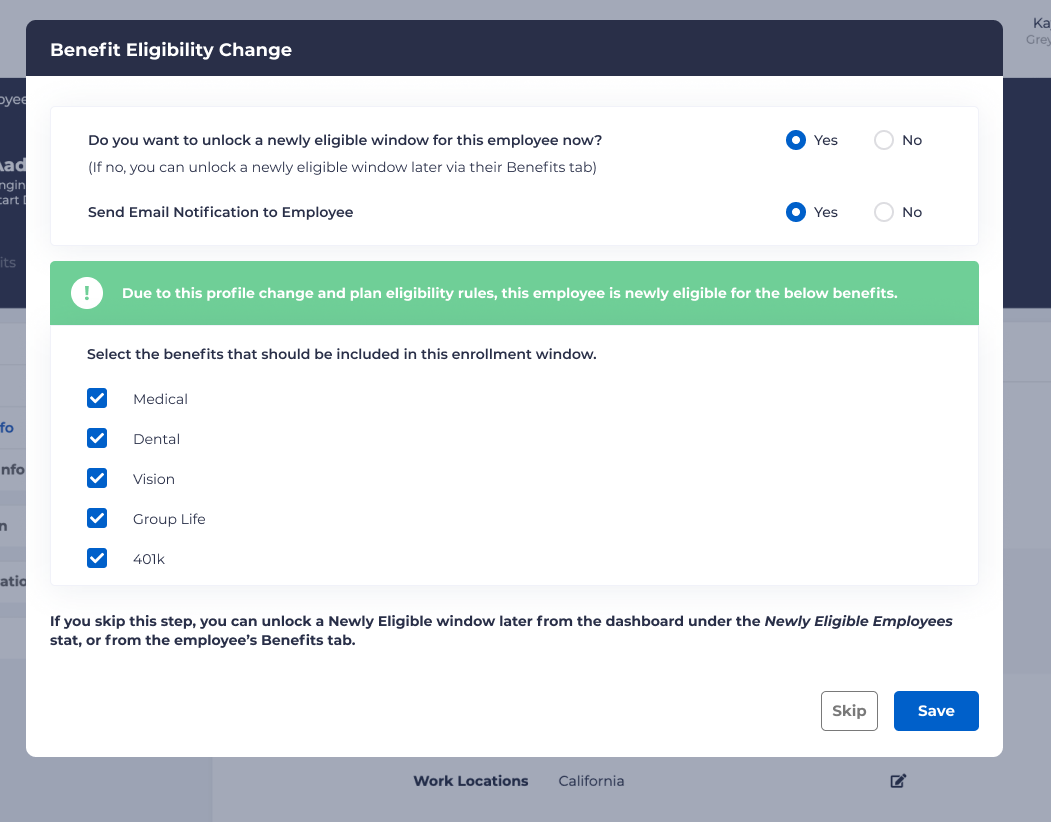
The same procedures should be followed.