To copy an existing Job Application Form into a new one:
- Click the Hiring menu at the top of the page.
- From the left navigation panel, click Administration > Application Forms.
- From the same row as the Job Application Form to copy, click the Copy icon
 .
. - Enter the name of the new Job Application Form.
- Click Continue.
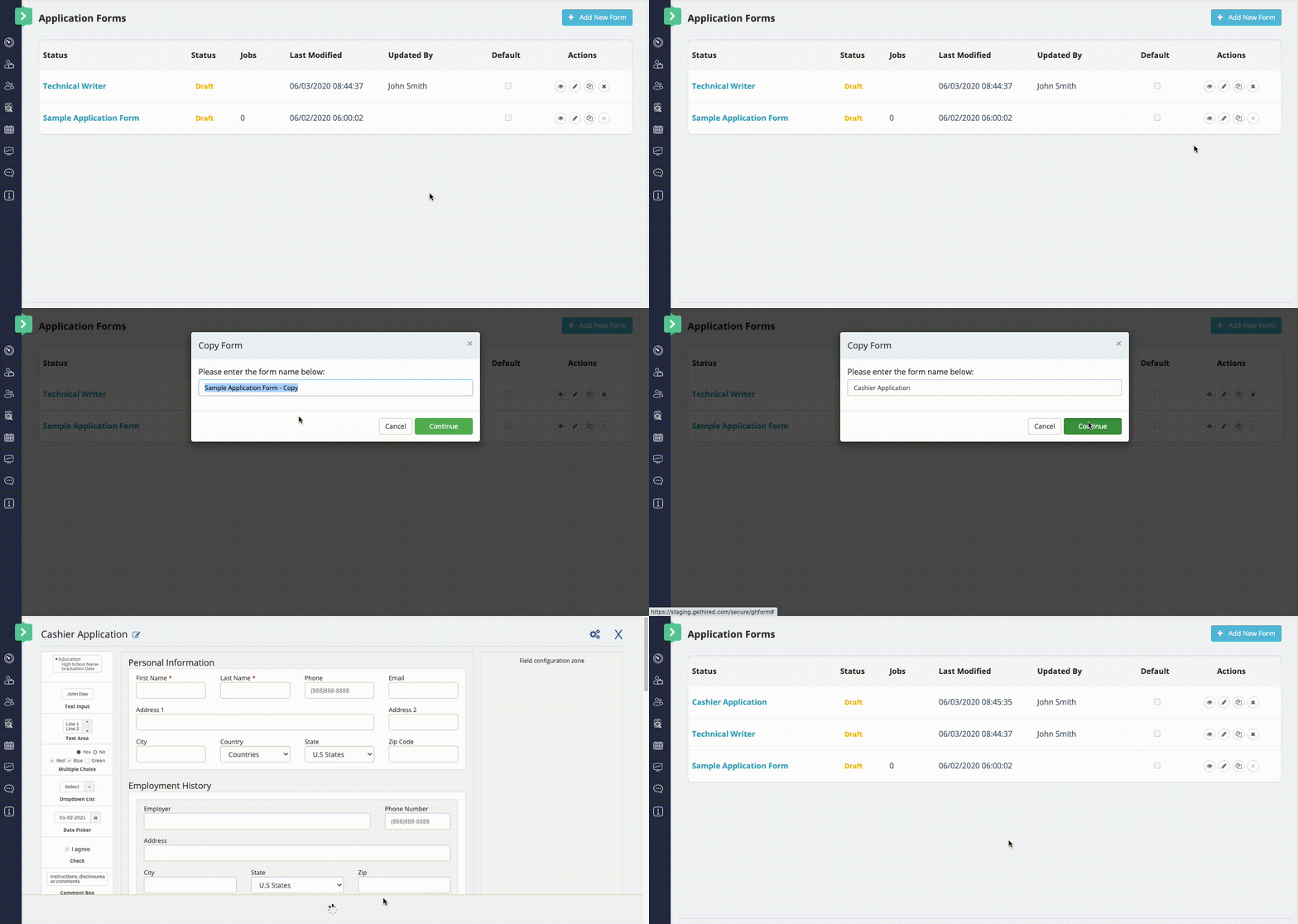
- This will automatically open the new copy, where you may edit it as you wish.
- If you click out of the window, using the "X" at the upper right part of the screen, you will see the new application form on the list of forms.
For more details on completing the Job Application Form process, see Using the Job Application Form Builder.