When a candidate has been declined for a position, an email can be sent to them informing them that they have been declined including the reasons why. To set the Candidate Decline Email template:
- Click the Hiring menu at the top of the page.
- From the left navigation panel, click Administration > Application Forms.
- Click the the Edit
 icon for the Job Application form to update.
 - Click the Settings
 icon on the upper right.
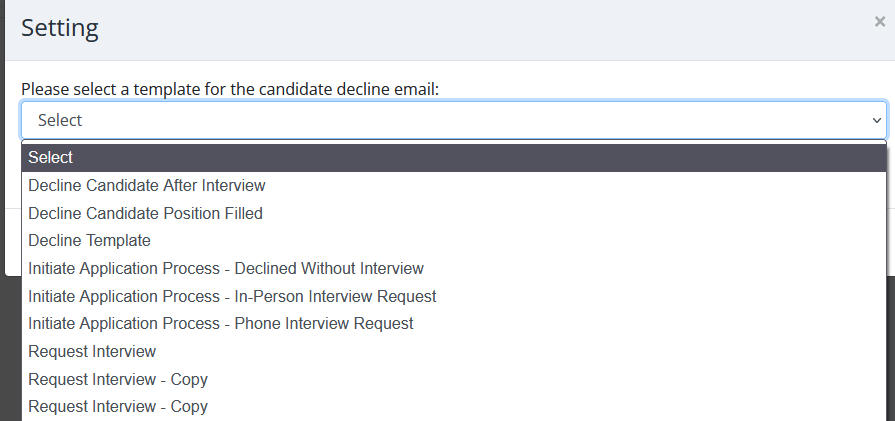
 - Select the Candidate Decline Email template to use. To create a custom Decline email, you may do so in the Email templates section.
- If you wish to prevent any emails from being sent, click Do not send decline emails to disqualified candidates.
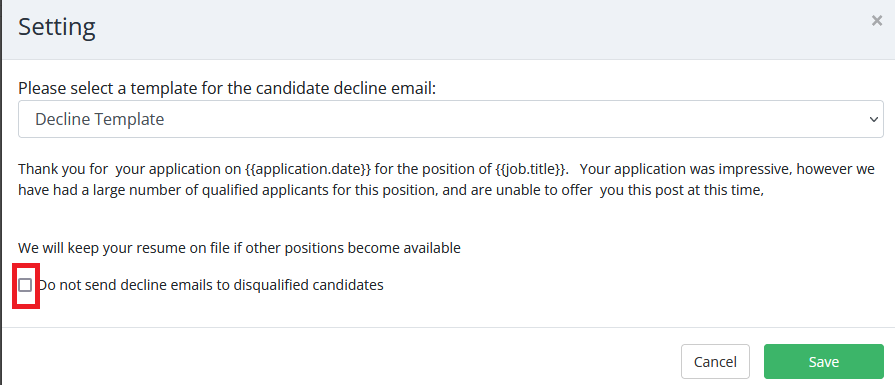
- Click Save to update the settings.