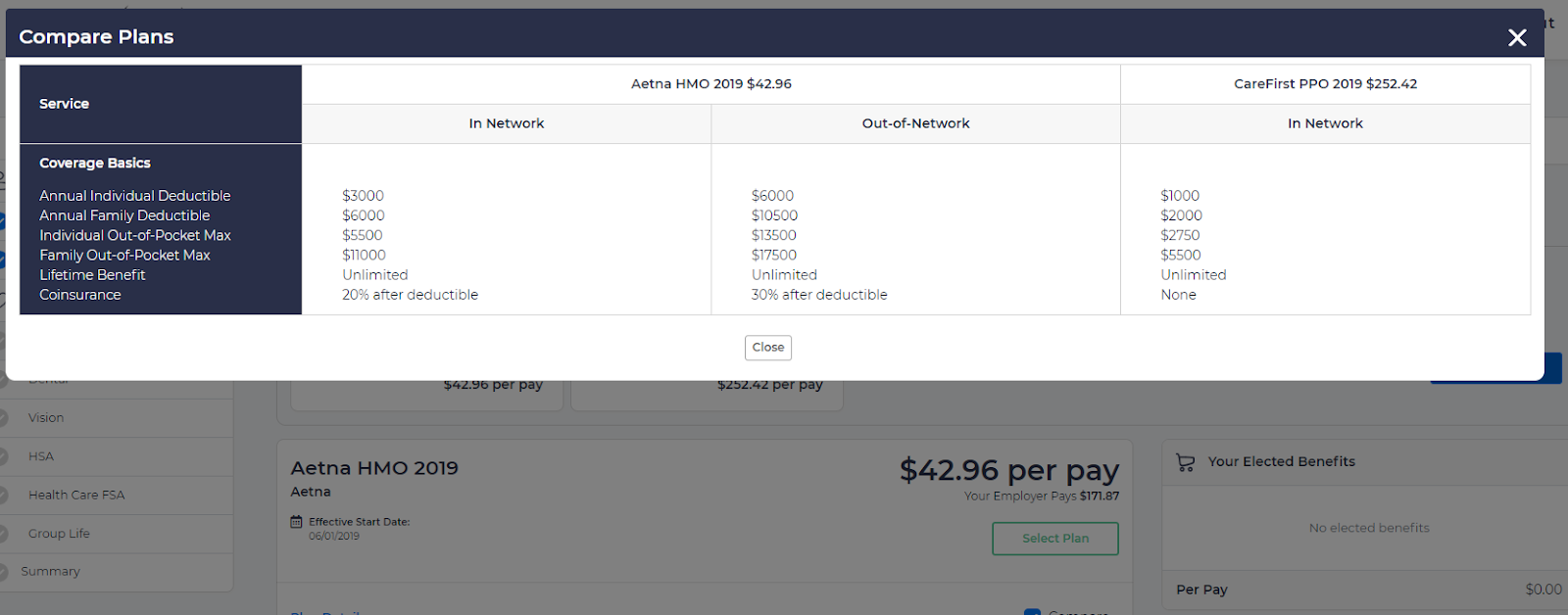
You can set up plan coverage details under the Coverage section. The process for entering coverage details for Medical, Dental, and Vision plans is the same.
Coverage details provided here are not included in any system level calculations. They are only shown for the employee’s information during their enrollment experience. You can display coverage information in one, two, or three different columns by categorizing it as in-network, out-of-network, etc. Details will be displayed in different columns during the employee’s enrollment process when attempting to compare or view plan details.
Complete the Policy Info section first. Internal Name, Group#, Plan Type, Levels are not mandatory fields, however providing this information will help users track plans and enrollments better.
Select appropriate columns, and provide column title. Then select coverage options from the provided dropdown menu. 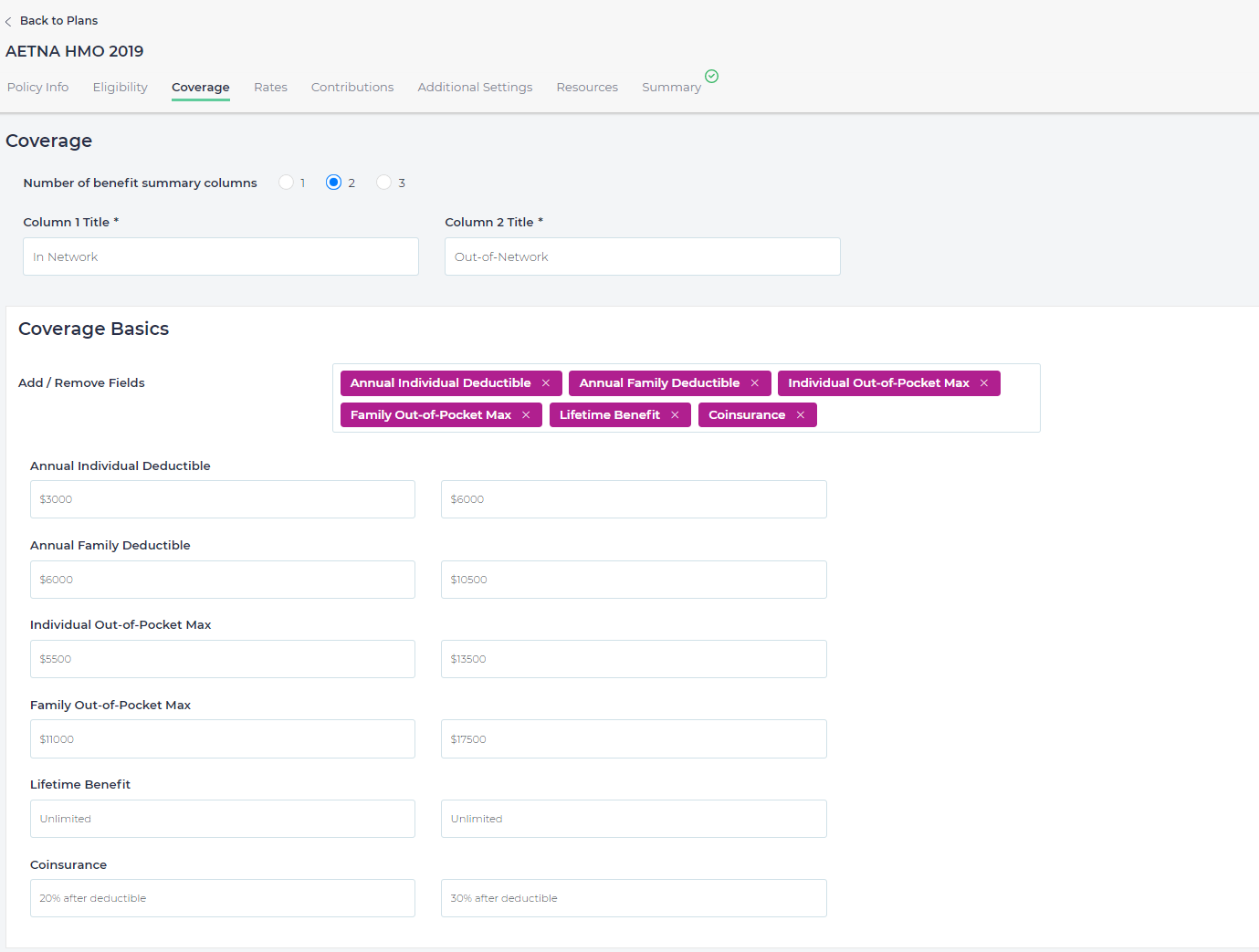
if this is a High Deductible Health Plan (HDHP), select the checkbox This is a High Deductible Plan. If the checkbox is selected, then enrollment in this plan allows employees to enroll in HSA and/or Limited Purpose FSA plans.
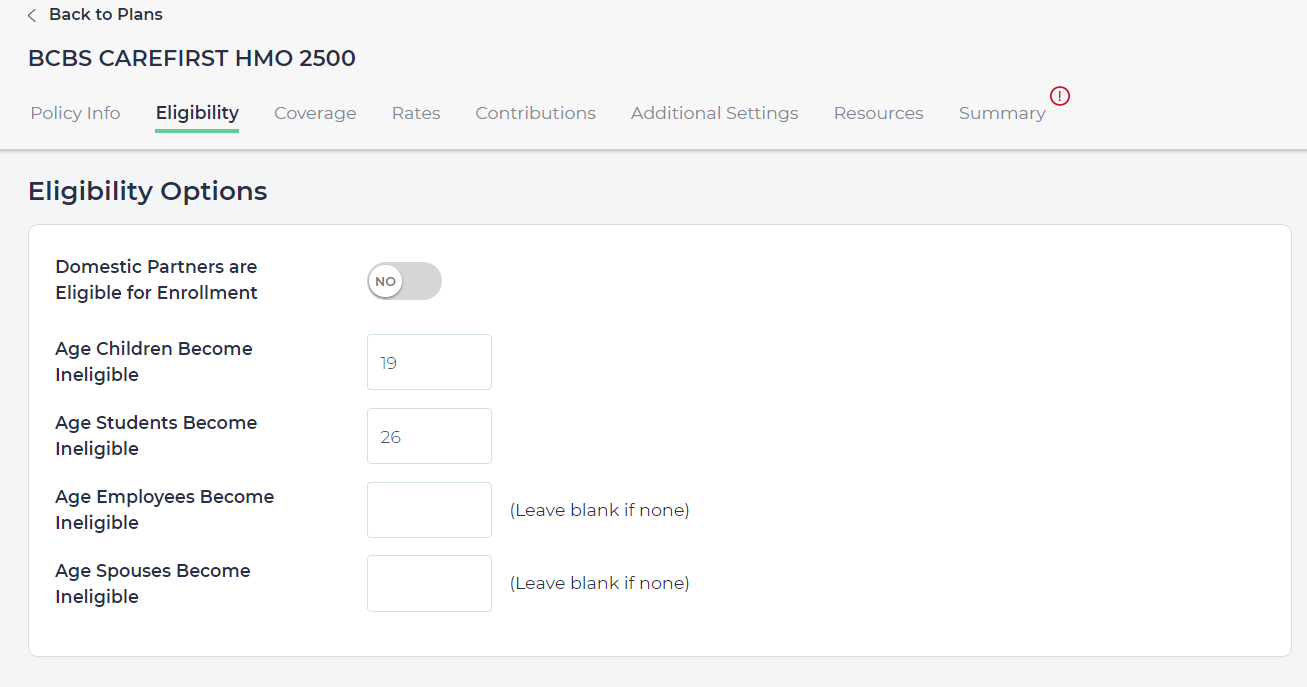
Eligibility Options
- Under the Eligibility Option, you can set up Domestic partner’s eligibility by switching eligibility to Yes or No
- Provide the age when a child becomes ineligible as a dependent child. The default age provided is 19 years, however you may change accordingly. Any children above this age will not be eligible unless the child is disabled or a full time student. All disabled dependents are eligible as long as employee is eligible to enroll.
- A full-time student's dependent age can be set up in the Age Students Become Ineligible field. The default value is 26 years. If there is an age limit for employee’s enrollment, that can be set up under Age Employees Become Ineligible. If none, leave it blank. The same is true for Spouse age limitations. Use Age Spouses Become Ineligible or leave blank if not applicable.