Staff members logged time and tips are synced between the Heartland Restaurant and Heartland Time, so data entered from your staff members from the POS can be managed from your Heartland Time account through the Heartland Time Timesheet page.
Timesheet data created in Heartland Restaurant manually must be saved and published before it can be synced with Heartland Time. The examples below demonstrate how syncing timesheet information transfers between these applications.
Timesheet information synced with Heartland Time includes punch data, hours worked, tips, and other relevant information. Tips are collected in aggregate in Heartland Time - they are not included in individual punches, but are listed as their total value per time period.
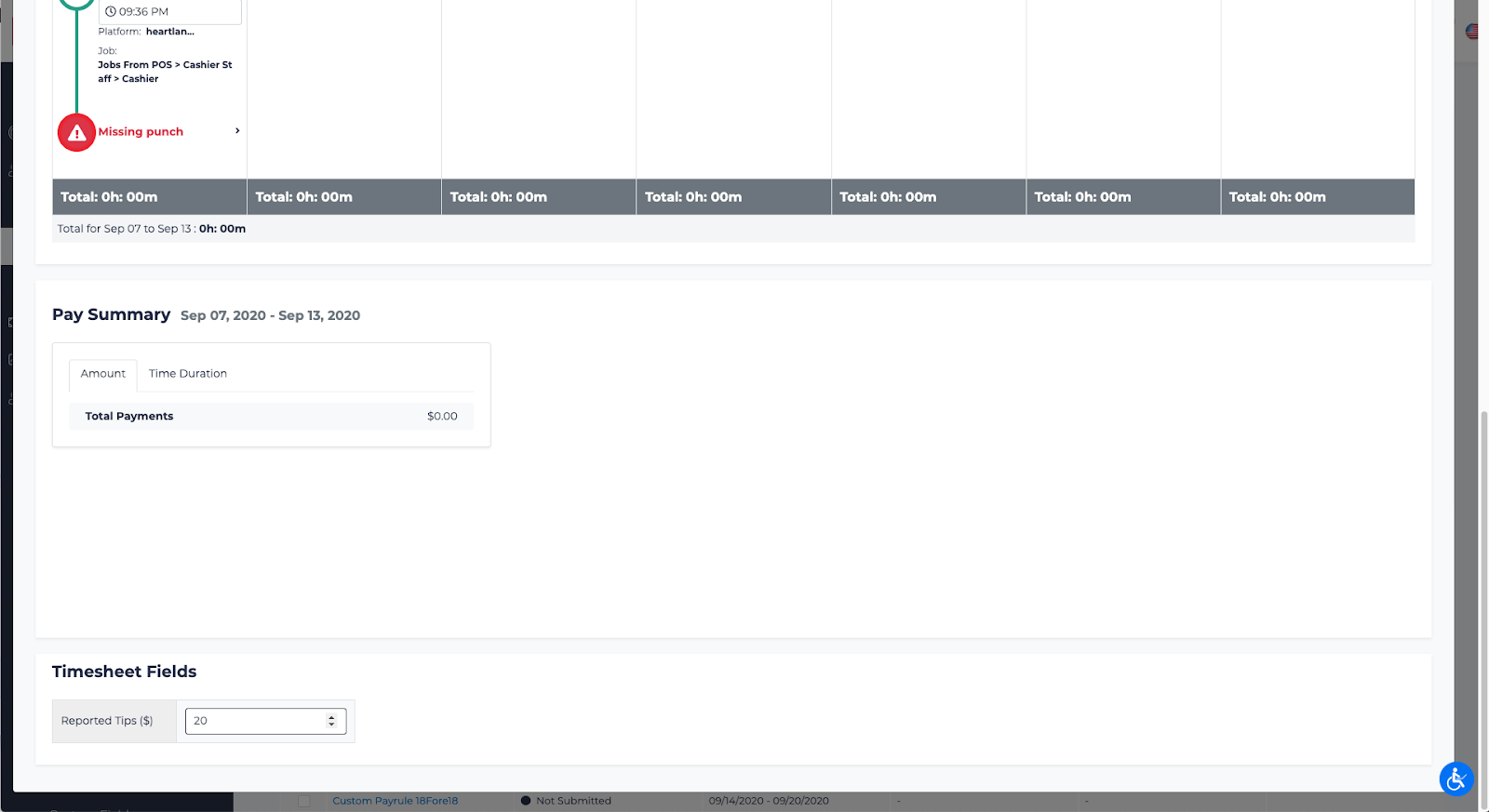
How to Manually Add a Time Punch to Heartland Restaurant
To add a time punch manually to Heartland Restaurant:
- Login to Heartland Restaurant.
- Select your Location.
- Click on Location Setup > Scheduled Shifts.
- Click New.
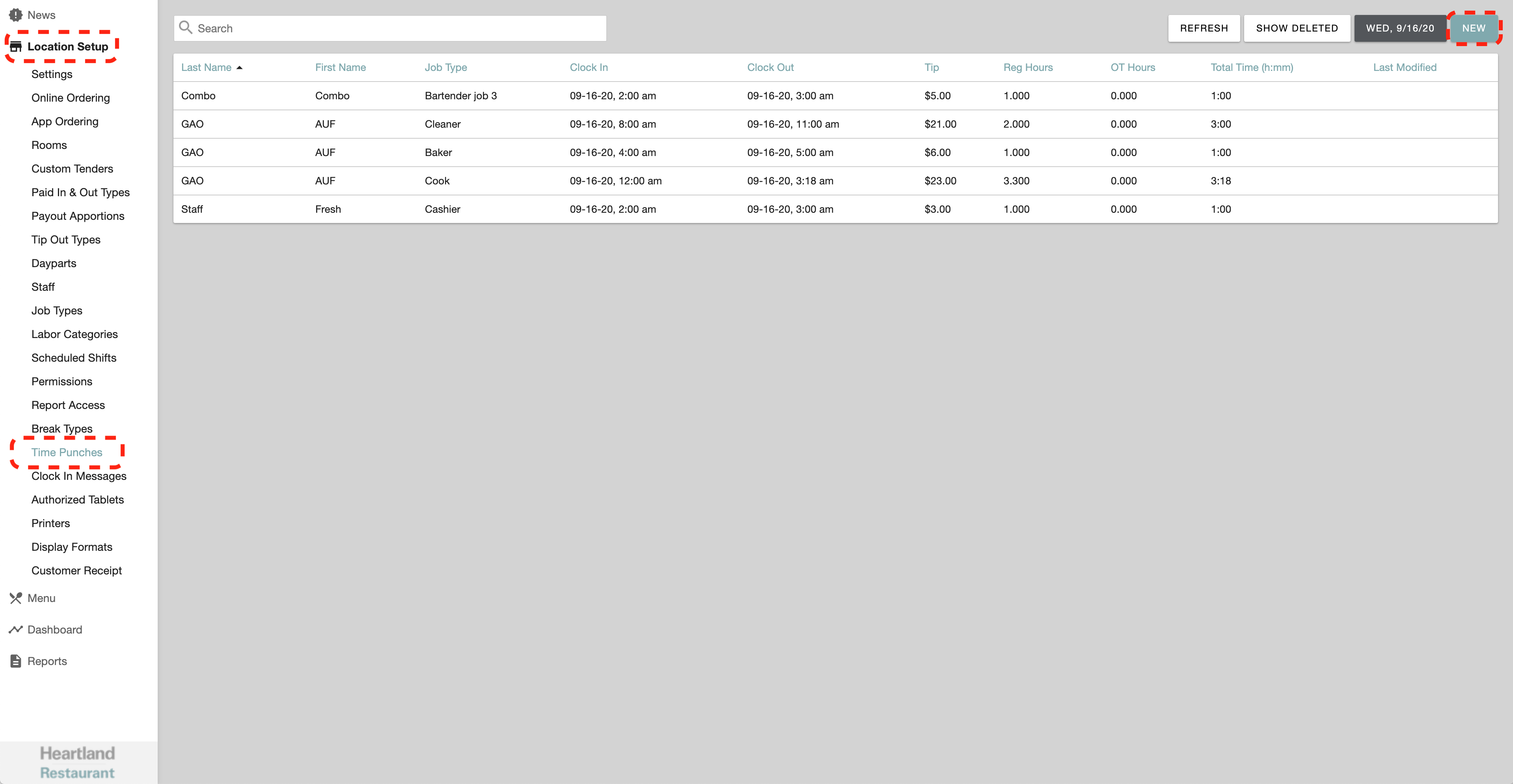
- Complete the questionnaire, including the following:
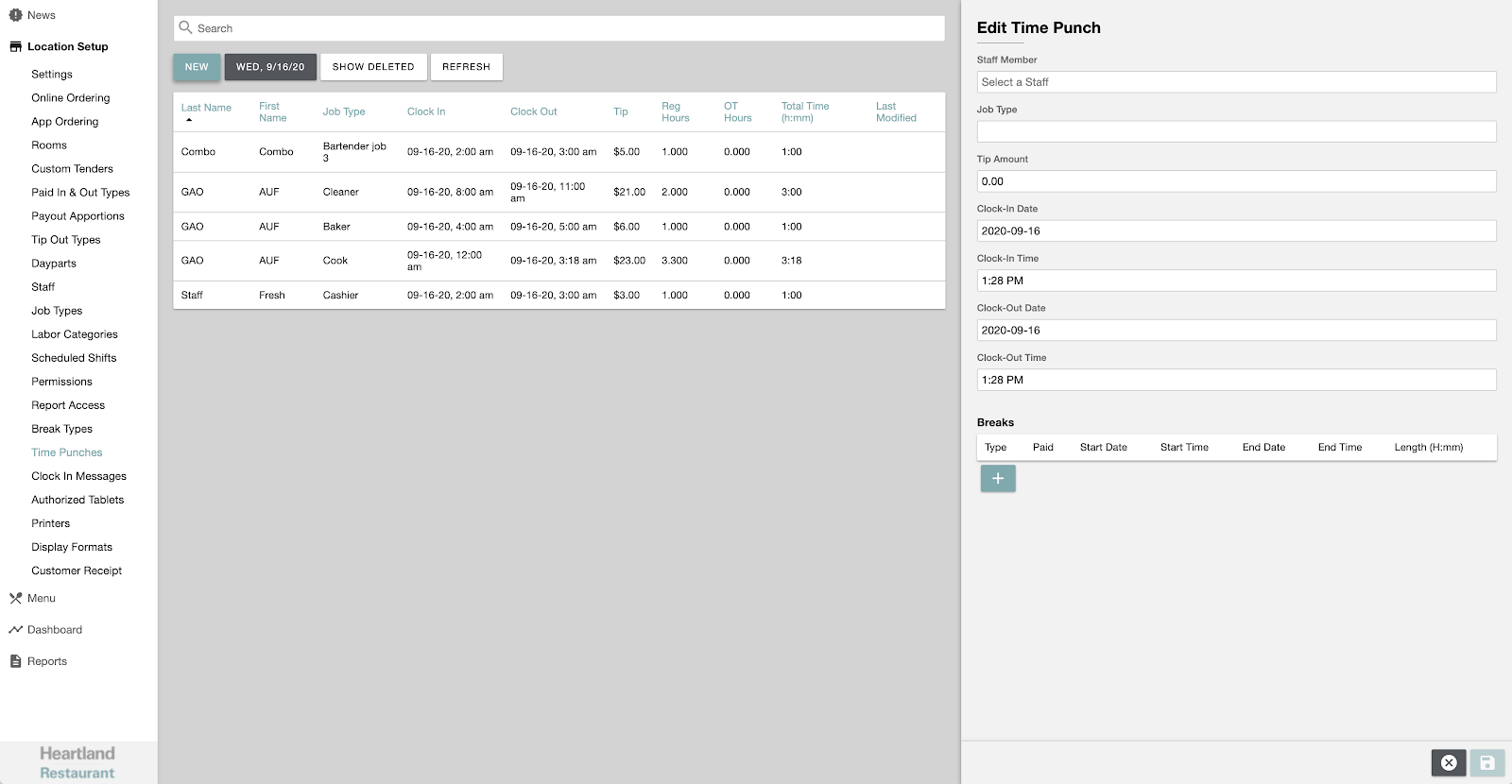
- Staff Member
- Job Type
- Clock-In and Clock-Out Date
- Clock-In and Clock-Out Time
- Tip Amount (optional)
- Any breaks taken (optional)
- When finished, click the Save icon
 in the lower right hand corner.
 - Time Punches must be published before the data is synced. Click the Publish icon
 from the upper right hand corner.
Once published, the Time Punch data will be synced with Heartland Time. Synching takes place over a set interval, and typically completes within five minutes.
How to Manually Sync Timesheets
Punches, wage earnings, and other information entered from Heartland Restaurant is synced with Heartland Time at set intervals, typically completing within five minutes.
To manually sync information between Heartland Restaurant and Heartland Time:
- Login to Heartland Time.
- Select Team Management > Team Timesheets.
- Select the Employees to sync data for. To sync all Employees data, click the top checkbox.
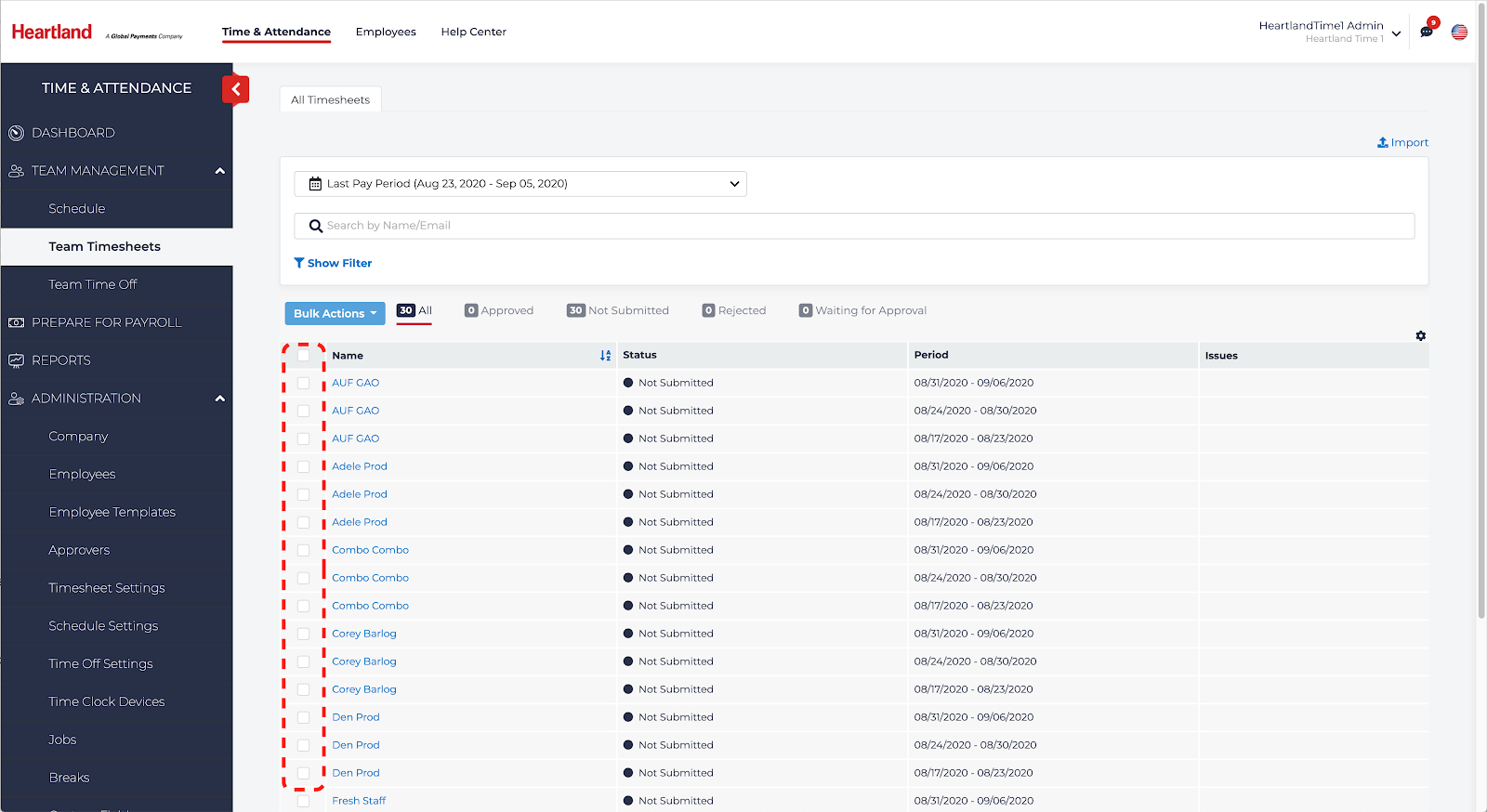
- Select Bulk Actions, then Sync POS Data.
- Click Yes, Sync to confirm. Wait for the sync process to complete.