This section is optional, and provides details on how Heartland Time, Heartland Payroll, and Heartland Restaurant sync data with each other.
Information between these systems is kept separate for security purposes, linked together though common fields and settings.
As seen in the diagram below, some information proceeds in a single direction, while some information is bidirectional. This allows each application to be considered the authoritative source of truth for its information.
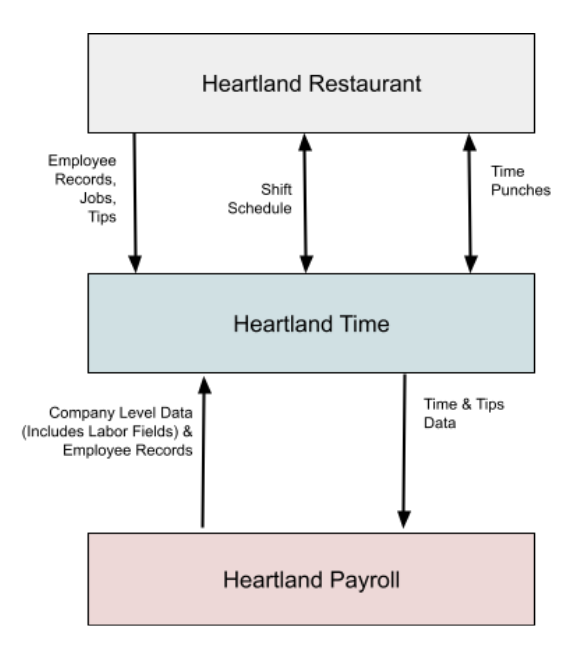
Each application is responsible for the following data:
- Heartland Restaurant: Authoritative Store for restaurant staff jobs and tips. Collects employee’s punching in and out, their tips, and what jobs they are assigned to in the POS. Simple schedule and timesheet data is synchronized with Heartland Time.
- Heartland Time: Authoritative Store for timesheet and final tip collected data. Collects employee time punches, tips, and other relevant data from Heartland Restaurant. Employers can set repeating schedules, update time punches and aggregated tip data, and submit Timesheet and Tips data to payroll. Schedules and Time Punches are synced between Heartland Time and Heartland Restaurant.
- Heartland Payroll: Authoritative Store for Employee profiles and company organization. Set company level data, create employee records, and process payroll. Employee records are submitted to Heartland Time. Timesheet and tips are submitted from Heartland Time to Heartland Payroll for payment processing.
Note: Employee records are synced three times per day (5pm / 8pm / 11pm PST)
Bidirectional Information is automatically synchronized between these systems in set intervals, with published changes being typically updated within five minutes. Administrators can manually sync information rather than wait for the automatic update process to complete.
Because of the separation of data, some actions must be performed manually. For example, employees that are created in Heartland Payroll are not automatically created in Heartland Restaurant at this time. This requires managers to add additional steps when setting up a staff member for Heartland Restaurant location to ensure their schedule and payroll information is successfully submitted across all systems.
Synchronizing Job Types and Jobs
Labor Categories and Job Types in Heartland Restaurant locations need to be linked as Jobs Heartland Time, which are in turn linked to the Labor Fields in Heartland Payroll. This allows staff punches, tips, and other details to be successfully submitted to Heartland Payroll.
The Labor Categories and Job Types are synced to Heartland Time under Administration > Jobs, under the grouping Jobs From POS. Job Types are grouped under each Labor Categories that they are assigned to:
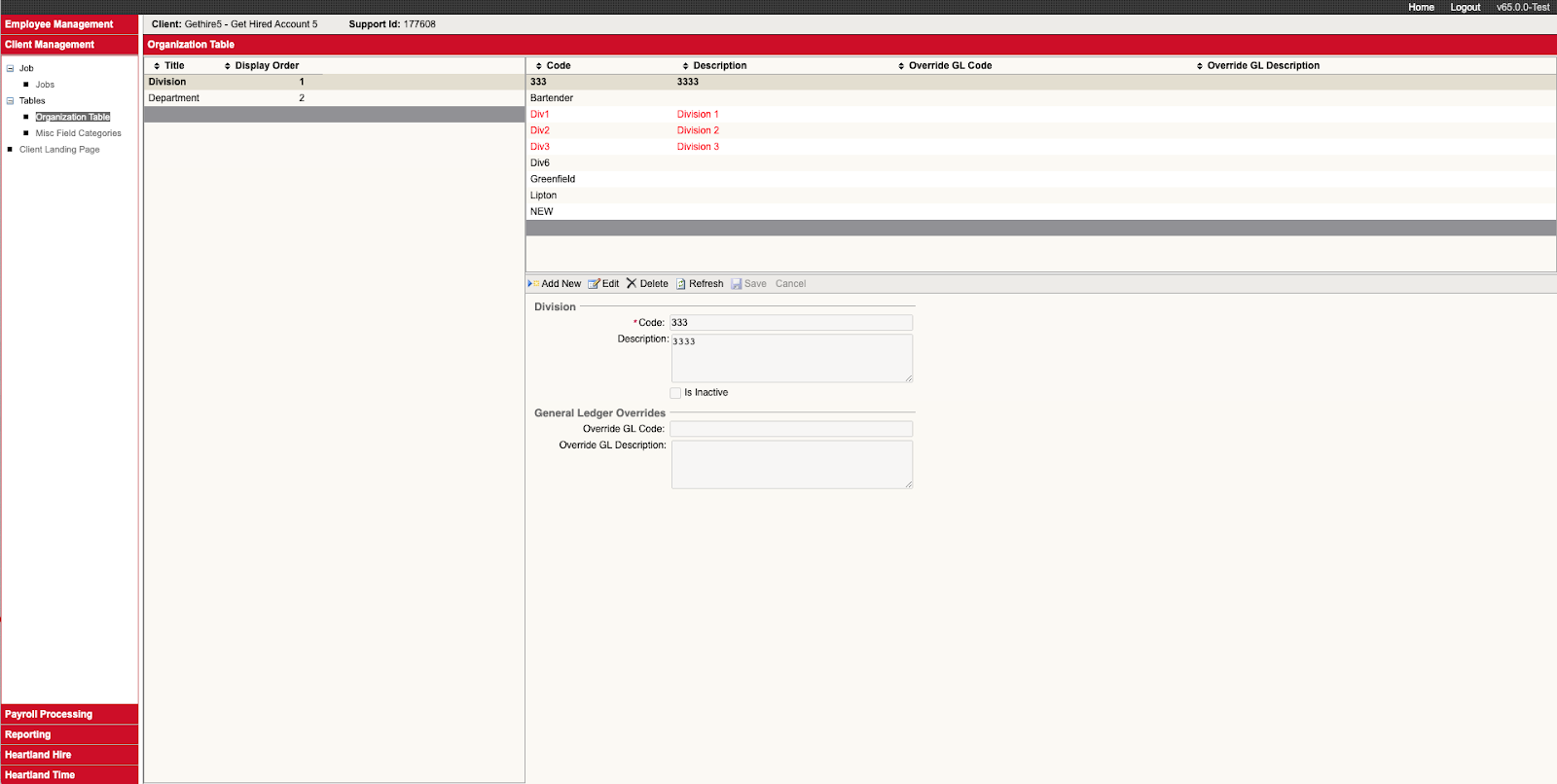
Jobs Types in Heartland Time must be linked to the Heartland Payroll Labor Fields so staff timesheets can be successfully submitted. These will be organized in Heartland Payroll under Client Management > Tables.