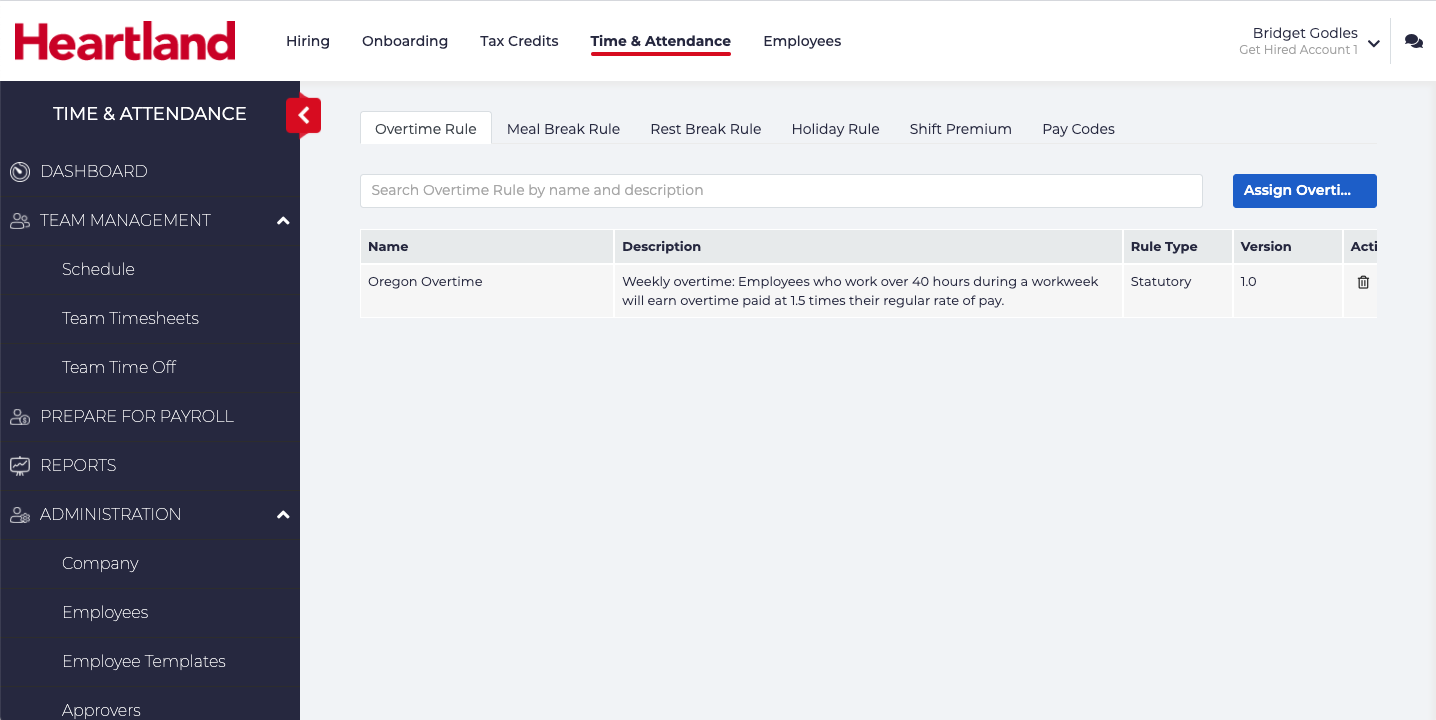
Once your Pay Groups have been updated, you will want to update your Pay Rules & Codes. In this section we will be updating the Overtime Rules that your business uses, and verifying the Pay Codes.
- Overtime Rules refers to the laws and contracts that define when employees are paid at an overtime rate. Typically this is any hour over 40 hours a week, but may be different depending on your location and contractual agreements.
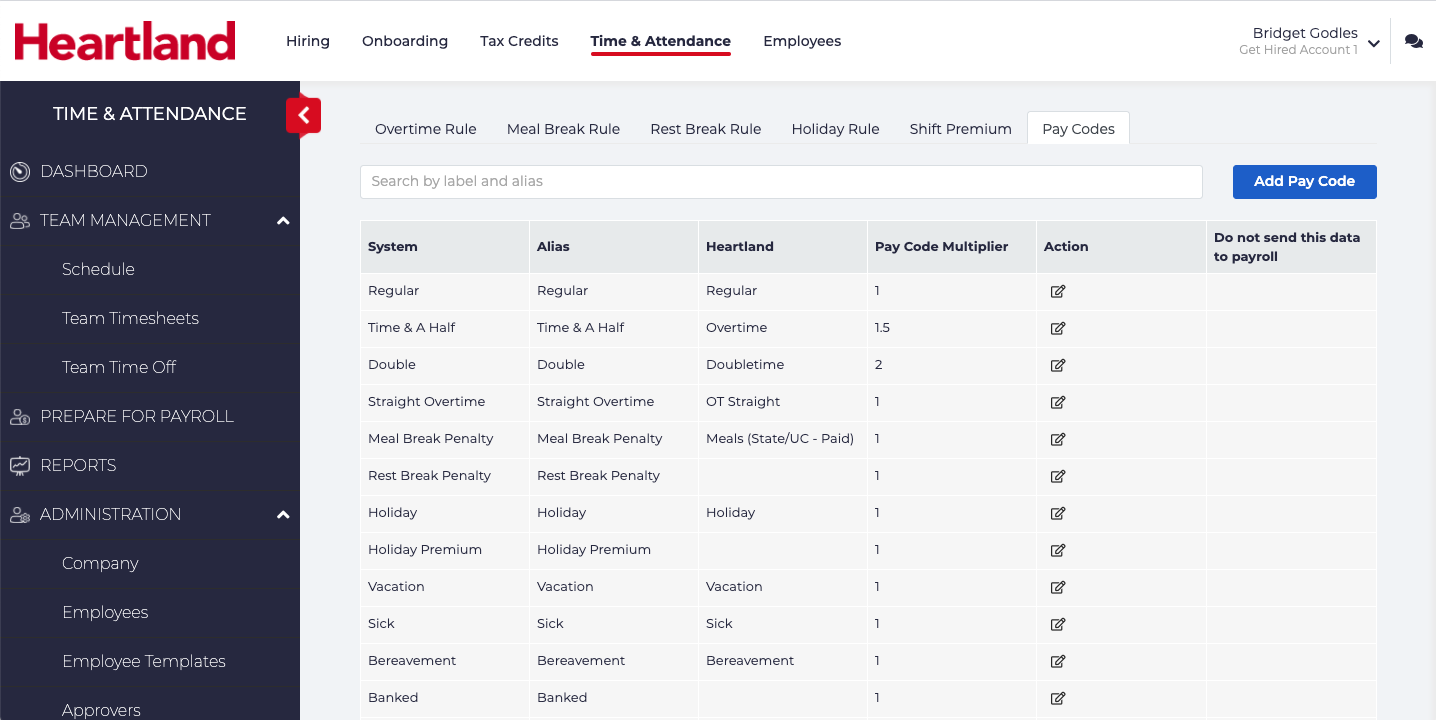
- Pay Codes are the codes that track at what rate employees are paid for their time. For example: if an employee takes a paid vacation, that time off would be logged as Vacation.
Heartland Time includes the most common Overtime Rules for every state in the United States and other countries. If you require a custom Overtime Rule, please contact your support representative.
Pay Codes are automatically imported from your Heartland payroll profile.
Assign Overtime Rules
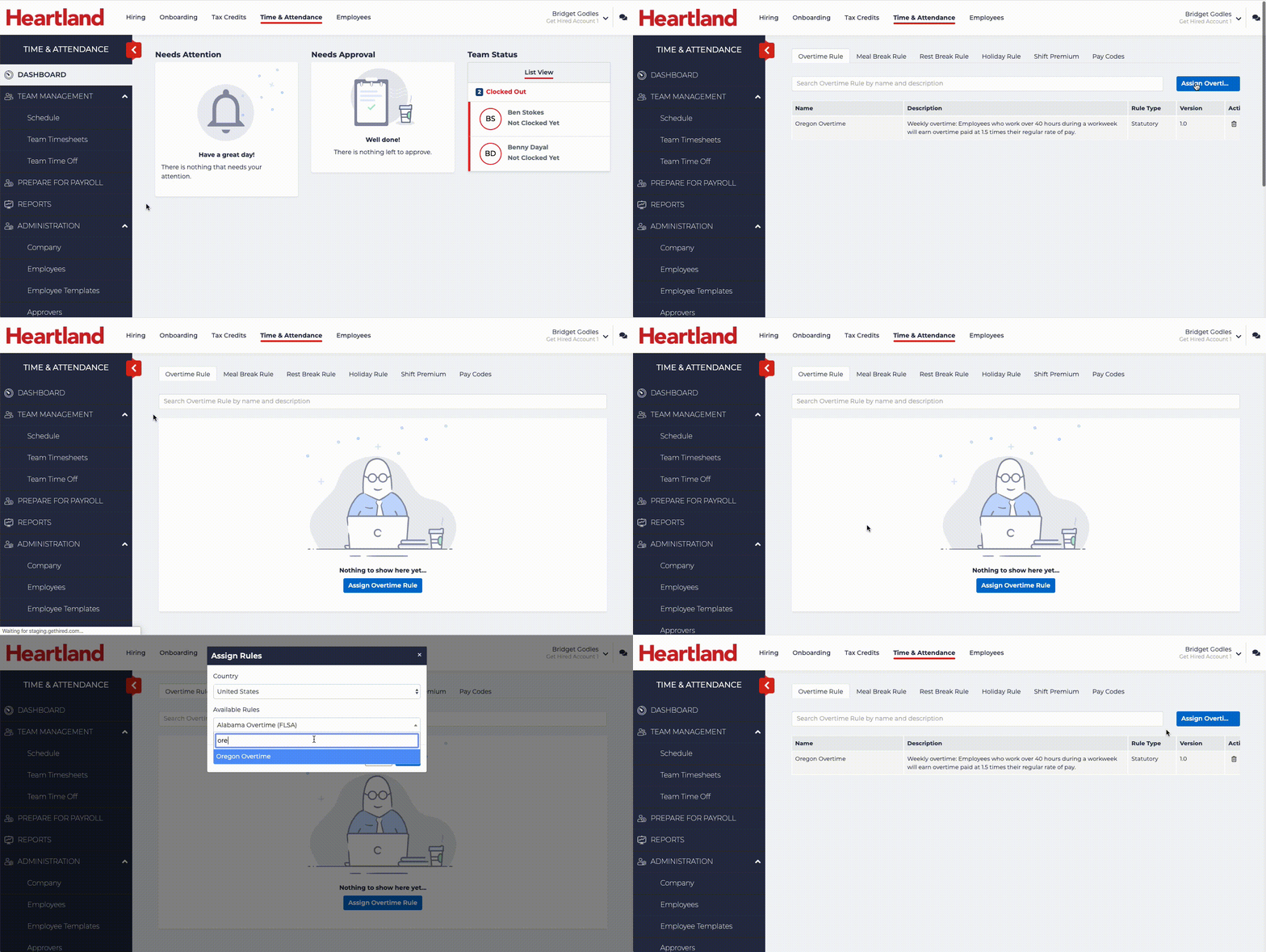
To update the Overtime Rules to match your company:
- Click Administration > Pay Rules & Codes.
- Click the Overtime Rule tab near the top of the page.
- Click Assign Overtime Rule.
- In the search bar, enter the first characters for your state to filter options. For example: If your company employees work in Oregon, you would type Ore to narrow your search display to Oregon.
- Click the state your employees work in.
- Select Save when complete.
The following examples sets up the Overtime Rules for a company in Oregon:
Verify Pay Codes
Pay Codes are imported from your Heartland profile. In the majority of cases, making changes to this list is not necessary, but this step verifies your Pay Codes are accurate. The most important attribute is the Pay Code Multiplier - this sets the rate of the employee’s base pay times the Multiplier. For example: typical overtime is 1.5 times the employee’s hourly base salary. Some organizations have this value higher based on the agreements with their employees or their labor unions.
Common Pay Codes include but are not limited to:
- Regular: The employee’s regular pay rate.
- Overtime: The employee’s pay rate is 1.5 times the Regular pay rate.
- Holiday: For employees that are paid on certain holidays at a different rate than a regular work day (New Years, July 4, etc) will be paid from this rate.
IMPORTANT NOTE: Please review this information for accuracy. Errors in the pay code and multiplier can cause employees to be paid with the incorrect rates. If you have questions, please contact your support representative.
To verify the Pay Codes are up to date:
- Click Administration > Pay Rules & Codes.
- Select Pay Codes from the menu bar near the top.
- Review the Pay Codes displayed and verify the Pay Code Multiplier.
- To update the value, select Edit icon
 in the Action column.
 - Update the Pay Code Multiplier as required. Please note: As these will be imported from your company’s Heartland Payroll profile, there is likely no need to change the alias or other values.
- Click Save when complete.